
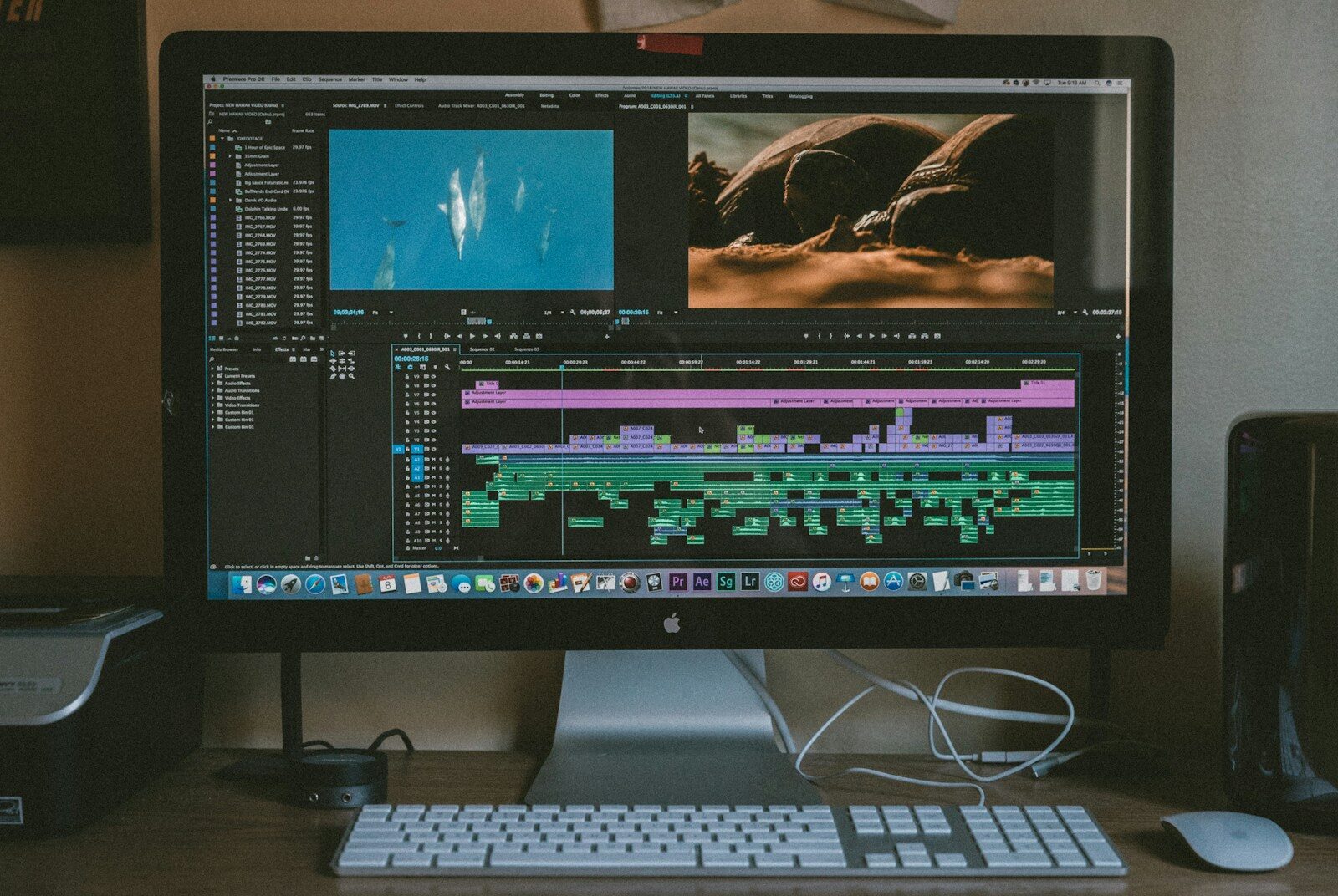
Video creation used to require cameras, lighting equipment, microphones, editing software, professional editors, and hours of post-production work.
Artificial intelligence is changing that workflow.
Today, an AI video tool can help users generate videos from text, animate images, edit existing footage, create B-roll, generate voiceovers, add captions, remove backgrounds, change video styles, create avatars, and turn long-form videos into short-form content.
Some AI video tools focus primarily on video generation, while others focus on AI video editing. There are also tools designed specifically for social-media videos, AI avatars, video clipping, product videos, advertisements, education, and professional filmmaking.
In 2026, platforms such as Adobe Firefly and Runway are offering increasingly sophisticated generative-video workflows. Adobe Firefly currently supports text-to-video and image-to-video generation and provides access to multiple video models, including Adobe Firefly Video, Google Veo 3.1, Luma Ray3.14, Kling 3.0, and Runway Gen-4.5 within its creative workspace.
This guide explains what an AI video tool is, how it works, the major AI video tools available in 2026, their use cases, advantages, limitations, and how to choose the right tool.
What Is an AI Video Tool?
An AI video tool is software that uses artificial intelligence to create, edit, transform, analyze, or enhance video content.
Depending on the tool, you may be able to start with:
- A text prompt
- An image
- Existing video footage
- A script
- An audio recording
- A presentation
- A product image
- A blog article
- A transcript
The AI then performs one or more video-related tasks.
For example:
Text → AI-generated video
Image → Animated video
Long video → Short clips
Script → Video
Raw footage → Edited video
Video → Captions
Video → Translated version
Adobe describes its AI video generator as a system that can turn text or images into video clips and can also refine, extend, and edit generated footage in the same workspace.
What Can an AI Video Tool Do?
AI video technology now covers a surprisingly broad range of tasks.
Depending on the platform, an AI video tool can help with:
- Text-to-video generation
- Image-to-video generation
- Video-to-video transformation
- AI video editing
- Automatic captions
- AI voiceovers
- AI avatars
- Background removal
- Object removal
- B-roll generation
- Video translation
- Video dubbing
- Short-video creation
- Video clipping
- Audio enhancement
- Script generation
- Scene generation
- Animation
- Camera movement
- Visual effects
- Social-media resizing
This means “AI video tool” is actually a broad category containing many different types of applications.
How Do AI Video Tools Work?
The exact technology differs between platforms, but a simplified workflow looks like this:
Input → AI understanding → Generation or editing → Output
For example, if you provide the prompt:
“A cinematic aerial shot of Jaipur at sunrise, with warm morning light and slow camera movement.”
a text-to-video model attempts to interpret:
- Subject
- Environment
- Lighting
- Camera movement
- Style
- Composition
- Motion
and generates a video clip based on those instructions.
For image-to-video generation, the system starts with an existing image and generates movement around the visual elements.
For AI editing, the system analyzes existing footage and performs requested modifications.
What Is Text-to-Video AI?
Text-to-video AI converts a written prompt into a video.
Instead of filming a scene yourself, you describe what you want.
For example:
Prompt:
“Create a cinematic shot of a luxury electric car driving through a modern city at night, with reflections on the wet road, slow camera movement, realistic lighting, and premium commercial style.”
The AI attempts to generate a video matching those instructions.
Text-to-video is useful for:
- Advertising concepts
- Social-media videos
- B-roll
- Storyboards
- Product concepts
- Educational videos
- Creative experiments
- Film concepts
Adobe Firefly currently supports text-to-video generation and allows users to select among multiple AI video models within its workspace.
What Is Image-to-Video AI?
Image-to-video AI starts with an existing image and adds motion.
For example, you could upload a product photograph and ask the AI to:
- Slowly rotate the camera
- Add moving light
- Animate the background
- Create camera movement
- Add environmental motion
This can be particularly useful for marketers because a single product image can become a video advertisement.
Adobe Firefly currently supports image-to-video workflows where users can upload an image and describe how they want it brought to life.
What Is Video-to-Video AI?
Video-to-video AI transforms existing footage using AI.
Instead of generating a video completely from scratch, you provide an existing video and instruct the AI to change aspects of it.
Possible applications include:
- Restyling footage
- Changing visual appearance
- Modifying backgrounds
- Adjusting camera presentation
- Creating stylized versions
- Transforming scenes
Adobe Firefly currently provides a video-to-video workflow that lets users restyle footage and modify camera movement and framing using prompts.
Best AI Video Tools in 2026
There is no single AI video tool that is best for every project.
Different platforms specialize in different workflows.
Some of the major AI video tools to consider in 2026 include:
- Adobe Firefly
- Runway
- Google Veo
- Kling AI
- Luma AI
- Canva
- CapCut
- Descript
- VEED
- Synthesia
- HeyGen
- InVideo
- OpusClip
Some are focused on generative video, while others are primarily AI editors or content-repurposing platforms.
Adobe Firefly
Adobe Firefly has developed into a broader creative AI environment rather than simply an image-generation platform.
Its current AI video features include:
- Text-to-video
- Image-to-video
- AI video editing
- Video-to-video
- B-roll generation
- Voiceovers
- Music
- Sound effects
- AI avatars
- Animation
- Multiple aspect ratios
- Multiple AI models
Adobe says its Firefly Video Model is designed to be commercially safe, while partner models may have their own usage terms.
One particularly interesting feature is the ability to access multiple models from one creative workspace.
Current Firefly video options include:
- Adobe Firefly Video
- Google Veo 3.1
- Luma Ray3.14
- Kling 3.0
- Runway Gen-4.5
according to Adobe’s current product information.
Best for
Adobe Firefly can be useful for:
- Marketers
- Designers
- Businesses
- Social-media creators
- Product marketers
- Professional creative teams
- Adobe users
Runway
Runway is a generative-AI platform focused heavily on creative video production.
Its tools allow creators to generate and manipulate video using AI.
Runway’s current workflow includes different modes such as Tools and Apps, with the company continuing to consolidate older standalone tools into newer integrated experiences.
Runway can be useful for:
- Generative video
- Creative filmmaking
- Visual effects
- Concept development
- Image-to-video
- Video transformation
- Experimental content
Best for
Runway is particularly relevant to creators who want greater control over AI-generated visual content.
Google Veo
Google’s Veo family is designed for generative video creation.
Veo can generate video from prompts and is particularly relevant to users looking for cinematic scenes and increasingly sophisticated motion and audio capabilities.
Adobe currently provides access to Veo 3.1 within Firefly, describing it as capable of detailed scenes with synchronized audio, including dialogue and sound effects.
Best for
Veo is relevant for:
- Cinematic video
- Creative storytelling
- Visual concepts
- Social content
- Generative filmmaking
Kling AI
Kling has become another major name in AI video generation.
Adobe currently lists Kling 3.0 among the partner video models available in Firefly and describes its capabilities around multi-shot video, native audio, and dialogue synchronized with character lip movements.
Best for
Kling can be useful for:
- Character-driven scenes
- Cinematic content
- Multi-shot generation
- Dialogue-based video
- Creative storytelling
Luma AI
Luma’s video models are also part of the current generative-video ecosystem.
Adobe currently lists Luma Ray3.14 as a partner model in Firefly and describes it as useful for fluid motion, camera movement, and maintaining subject continuity across frames.
Best for
Luma can be useful for:
- Image animation
- Cinematic motion
- Creative visuals
- Product visualization
- Experimental video
Canva AI Video Tools
Canva is particularly useful for users who want AI-assisted video creation combined with a simple design environment.
A typical Canva workflow can include:
- Video templates
- AI-generated visuals
- Text
- Animations
- Captions
- Music
- Brand assets
- Social-media formats
Canva is especially relevant for marketers and small businesses that don’t want to use professional editing software.
Best for
- Social media
- Marketing teams
- Small businesses
- Presentations
- Educational content
- Beginners
CapCut
CapCut is widely used for short-form content and combines conventional editing with AI-assisted features.
It can help with:
- Auto captions
- Background removal
- Effects
- Templates
- Video resizing
- AI-assisted editing
- Social-media content
CapCut is particularly suitable for creators producing frequent TikTok, Reels, and Shorts content.
Descript
Descript takes a transcript-based approach to video editing.
Instead of working exclusively with a traditional video timeline, users can edit the transcript and modify the corresponding video.
This can be particularly useful for:
- Podcasts
- Interviews
- Tutorials
- Webinars
- Talking-head videos
AI features can assist with transcription, filler-word removal, captions, and other editing tasks.
Best for
Descript is particularly useful for creators who work with spoken-word content.
VEED
VEED is a browser-based video editing platform with AI-powered capabilities.
It can assist with:
- Video editing
- Captions
- Transcription
- Video resizing
- Social-media videos
- AI-generated content
It is particularly useful for users who want a relatively simple online editing workflow.
Synthesia
Synthesia focuses heavily on AI-generated presenter and avatar videos.
Users can create videos featuring digital presenters rather than recording themselves on camera.
This can be useful for:
- Corporate training
- Internal communication
- Educational content
- Product explanations
- Business presentations
- Multilingual videos
HeyGen
HeyGen is another AI video platform focused heavily on avatars, presenters, translation, and business-oriented video creation.
It can be useful when a company wants to create presenter-based content without recording a new video for every language or variation.
InVideo
InVideo focuses on simplifying video creation from scripts, prompts, and existing assets.
It can be useful for:
- YouTube videos
- Social media
- Marketing videos
- Explainer videos
- Advertisements
It is particularly relevant to users who want an automated workflow rather than professional timeline editing.
OpusClip
OpusClip is different from text-to-video generators.
Its primary strength is turning long-form videos into short-form clips.
For example:
One-hour podcast → Multiple Shorts/Reels
AI can identify potentially interesting moments, generate captions, reframe the footage, and prepare clips for social media.
This makes OpusClip especially useful for:
- Podcasters
- YouTubers
- Coaches
- Educators
- Digital marketers
- Agencies
AI Video Tool Comparison
| Tool | Text-to-Video | Image-to-Video | AI Editing | Avatars | Short-Form Content | Best For |
|---|---|---|---|---|---|---|
| Adobe Firefly | Yes | Yes | Yes | Yes | Yes | Creative & commercial work |
| Runway | Yes | Yes | Yes | Limited | Yes | Creative filmmaking |
| Google Veo | Yes | Yes | — | — | Yes | Generative video |
| Kling | Yes | Yes | Yes | Limited | Yes | Cinematic/multi-shot video |
| Luma | Yes | Yes | Yes | — | Yes | Motion & creative visuals |
| Canva | Yes/assisted | Yes | Yes | — | Yes | Marketing & social |
| CapCut | Assisted | Yes | Yes | Some | Excellent | Short-form social |
| Descript | Limited | — | Excellent | — | Yes | Podcasts & talking-head videos |
| VEED | Yes/assisted | Yes | Yes | Some | Yes | Online video editing |
| Synthesia | Script-to-video | — | Yes | Excellent | Yes | Business training |
| HeyGen | Script-to-video | Yes | Yes | Excellent | Yes | Avatars & localization |
| OpusClip | No primary focus | — | Excellent | — | Excellent | Video clipping |
The best choice depends heavily on what you want to accomplish.
AI Video Generator vs AI Video Editor
These terms are often confused.
An AI video generator creates new video content.
An AI video editor modifies existing footage.
For example:
AI generator:
“Create a futuristic city at night.”
AI editor:
“Remove the background and replace it with a futuristic city.”
Both use AI, but the workflows are different.
Some modern platforms combine both capabilities.
Adobe Firefly is an example of this approach: users can generate footage and then edit, trim, rearrange, extend, and refine it in the same environment.
AI Video Tool for YouTube
YouTube creators can use AI throughout the video-production process.
AI can help with:
- Topic research
- Scriptwriting
- Storyboarding
- Video generation
- B-roll
- Voiceovers
- Captions
- Editing
- Thumbnails
- Shorts
- Content repurposing
A creator could use AI to turn one long video into multiple pieces of content.
For example:
One 30-minute video
could become:
- 1 full YouTube video
- 5 Shorts
- 3 Instagram Reels
- 3 LinkedIn clips
- Several social posts
The AI handles much of the repetitive editing work while the creator controls the content strategy.
AI Video Tool for Instagram Reels
Instagram Reels require short, visually engaging content.
AI video tools can help with:
- Vertical video
- Captions
- Quick cuts
- B-roll
- Background removal
- AI-generated scenes
- Music
- Transitions
- Hooks
For marketers, AI makes it easier to test multiple creative concepts without producing every version manually.
AI Video Tool for YouTube Shorts
AI tools can convert long-form videos into short-form clips or generate new Shorts from scripts.
For example:
Long podcast → AI highlights → Shorts
or:
Blog article → AI script → AI video → YouTube Short
However, automated clips should always be reviewed.
A clip can be technically correct while still lacking context or a compelling narrative.
AI Video Tool for TikTok
TikTok creators can use AI to:
- Generate scenes
- Add captions
- Create hooks
- Remove backgrounds
- Edit clips
- Add effects
- Generate voiceovers
Short-form video creation becomes significantly faster when repetitive editing is automated.
AI Video Tool for Digital Marketing
Digital marketers can use AI video tools to create:
- Advertisement videos
- Product demonstrations
- Social media videos
- Explainer videos
- Testimonials
- Educational content
- Reels
- Shorts
- B-roll
- Promotional videos
For example, an SEO agency could create a 30-second Reel explaining:
“3 reasons your website isn’t ranking on Google.”
An AI tool could help generate the visuals, captions, voiceover, and supporting B-roll.
AI Video Tool for Businesses
Businesses can use AI video tools beyond social media.
Training videos
Companies can create employee training materials.
Product videos
Product images and descriptions can be transformed into promotional content.
Sales videos
Sales teams can create personalized presentations.
Internal communication
Companies can produce announcements and explainers.
Customer support
Businesses can create video answers to common questions.
Recruitment
Companies can create employer-branding and recruitment videos.
AI Video Tool for E-Commerce
E-commerce businesses have thousands of products but often lack enough video content.
AI can help transform product images into video assets.
For example:
Product image → AI motion → Product video
A company can then use the video for:
- Product pages
- YouTube Shorts
- Facebook Ads
- Google Ads
- Product campaigns
Adobe currently identifies e-commerce product demos and showcase videos as AI video-generation use cases.
AI Video Tool for Education
Teachers and educators can use AI video tools to create:
- Explainer videos
- Course introductions
- Animated lessons
- Training videos
- Presentations
- Educational Shorts
- Language-learning content
AI avatars can also help instructors produce presenter-led content without recording every lesson themselves.
However, educational content should be fact-checked and reviewed by qualified educators.
AI Video Tool for Personal Branding
Personal branding is another major application.
Suppose you are a digital marketing professional.
You could record one long discussion about:
“How AI is changing digital marketing.”
AI tools can then help transform that recording into:
- Reels
- Shorts
- LinkedIn videos
- Quote videos
- Educational clips
- B-roll sequences
This creates a content engine from a single recording.
AI Video Tool for Ads
AI can significantly accelerate advertising creative production.
A marketer can generate multiple versions of a video advertisement with different:
- Hooks
- Visuals
- Product presentations
- Voiceovers
- Calls to action
- Backgrounds
For example:
Version A: Problem-focused
Version B: Product-focused
Version C: Testimonial-focused
Version D: Educational
Instead of manually producing every concept from scratch, AI can help create initial variations quickly.
Human review remains important, particularly for claims, brand guidelines, legal requirements, and product accuracy.
AI Video Tool for B-Roll
B-roll is supporting footage used alongside the main narrative.
For example, if a speaker says:
“Businesses are increasingly using AI automation.”
B-roll might show:
- A business dashboard
- Employees working
- Software interfaces
- Automated workflows
AI video generation can create or extend supporting footage without requiring a separate filming session.
Adobe Firefly currently supports generating B-roll and concept footage as part of its AI video workflow.
AI Video Tool for Captions
Captions are important for short-form video because many users watch videos without sound.
AI can automatically:
- Transcribe speech
- Synchronize captions
- Format text
- Highlight words
- Create animated subtitles
However, automatic transcription can make mistakes with:
- Names
- Brand terms
- Technical vocabulary
- Accents
- Numbers
Always review captions before publishing.
AI Video Tool for Voiceovers
AI voice generation allows users to create narration without recording every line themselves.
This can be useful for:
- Explainer videos
- Product videos
- Educational videos
- Advertisements
- Social content
- Presentations
However, creators should pay attention to licensing, voice rights, consent, and platform-specific policies when using synthetic voices.
AI Video Tool for Video Translation
AI can also help translate video content.
A typical workflow can involve:
Original video → Speech recognition → Translation → AI voice → Lip synchronization → New video
This can allow businesses and creators to produce content for multiple languages without recording the entire video again.
This is particularly useful for:
- International businesses
- Online courses
- YouTube creators
- SaaS companies
- E-commerce businesses
How to Create an AI Video
The process depends on the tool, but a basic workflow looks like this.
Step 1: Define the objective
Decide whether you want:
- Advertisement
- Reel
- YouTube video
- Product video
- Explainer
- Training video
- Cinematic clip
Step 2: Write a script or prompt
Give the AI enough information about:
- Subject
- Setting
- Style
- Camera
- Motion
- Lighting
- Duration
- Aspect ratio
Step 3: Generate the first version
Let the AI produce a draft.
Step 4: Review the result
Look for:
- Visual errors
- Incorrect text
- Strange motion
- Continuity issues
- Incorrect objects
- Audio problems
Step 5: Edit
Adjust:
- Timing
- Captions
- Music
- Voiceover
- Transitions
- Branding
Step 6: Export
Choose the appropriate format and aspect ratio.
Step 7: Publish and analyze
Measure performance and use the results to improve future videos.
How to Write a Good AI Video Prompt
A detailed prompt generally provides more control than a vague instruction.
Instead of:
“Create a car video.”
try:
“Create a cinematic 9:16 vertical advertisement showing a premium electric car driving through a modern city at night after rainfall. Use realistic reflections on wet roads, dramatic but natural lighting, a slow tracking camera movement, shallow depth of field, premium automotive commercial style, and no text on screen.”
A useful AI video prompt can include:
Subject + Environment + Action + Camera + Lighting + Style + Aspect Ratio + Constraints
AI Video Prompt Formula
A simple formula is:
[Subject] + [Action] + [Environment] + [Camera] + [Lighting] + [Style] + [Duration/Format]
For example:
Subject: Electric car
Action: Driving through a city
Environment: Rainy modern city
Camera: Low-angle tracking shot
Lighting: Neon reflections
Style: Premium automotive commercial
Format: 9:16 vertical
The more important details you provide, the easier it becomes for the AI to understand the desired result.
AI Video Tools for Beginners
Beginners generally don’t need the most complicated professional system.
Look for:
- Simple interface
- Templates
- Text-to-video
- Automatic captions
- Drag-and-drop editing
- Social-media formats
- Easy exports
Canva, CapCut, VEED, and similar tools can be useful starting points for people who want to create social-media content without learning a professional editing application first.
AI Video Tools for Professionals
Professional users may require:
- Advanced control
- Consistent characters
- Camera control
- High-quality generation
- Multiple models
- Professional editing
- Color correction
- Audio control
- Creative workflows
- Integration with professional editing software
Runway and Adobe Firefly are examples of platforms aimed at more sophisticated creative workflows. Runway describes its generative-video environment as providing tools and apps with greater control over generation.
AI Video Tool vs Traditional Video Editing
| Feature | AI Video Tool | Traditional Editing |
|---|---|---|
| Video generation | Yes | No |
| Automatic editing | Strong | Manual |
| Captions | Automated | Manual/assisted |
| B-roll | Can generate | Requires source footage |
| Speed | Fast | Slower |
| Creative control | Increasing | Very high |
| Learning curve | Usually lower | Often higher |
| Professional precision | Varies | Excellent |
| Automation | High | Limited |
| Human creativity | Still important | Essential |
AI isn’t necessarily replacing traditional video editing.
Instead, the two approaches are increasingly being combined.
Benefits of AI Video Tools
Faster production
AI can reduce the time needed to create video.
Lower production barriers
People without advanced editing skills can create professional-looking content.
More creative experimentation
Creators can test ideas quickly.
Easy content repurposing
One piece of content can become multiple formats.
Automated repetitive tasks
Captions, resizing, background removal, and other repetitive work can be automated.
More content variations
Marketers can test multiple creative concepts.
Accessibility
AI can help with captions, transcription, translation, and voice generation.
Limitations of AI Video Tools
AI video technology still has limitations.
Inconsistent results
The same prompt may produce different results.
Visual errors
AI-generated videos can contain incorrect objects, anatomy, text, or motion.
Character consistency
Maintaining exactly the same character across multiple scenes can still be challenging.
Limited control
Some systems don’t provide the same precision as traditional professional editing software.
Cost
Advanced generation can become expensive when producing large volumes of content.
Copyright and licensing
Users need to understand the rights and usage terms associated with generated content and third-party models.
Adobe notes that while its own Firefly Video Model is designed to be commercially safe, partner models can have different usage terms.
Human review remains necessary
AI-generated video should be reviewed before publishing, especially for commercial, educational, legal, or factual content.
Is AI Video Good for YouTube?
Yes, AI can be useful for YouTube production.
It can assist with:
- Research
- Scripts
- Voiceovers
- B-roll
- Video generation
- Editing
- Captions
- Shorts
- Thumbnails
But completely automated videos can sometimes feel generic.
Strong YouTube content still benefits from:
- Original ideas
- Expertise
- Storytelling
- Good pacing
- Human personality
- Audience understanding
AI should support the creator rather than eliminate the creator’s contribution.
Is AI Video Good for Digital Marketing?
AI video can be extremely useful for digital marketing.
A marketing team can use it for:
- Reels
- YouTube Shorts
- Product videos
- Ad creatives
- Explainer videos
- Landing-page videos
- Social media
- Email campaigns
- Educational content
For agencies, AI can also make content production more scalable.
Instead of manually creating every version of an advertisement, marketers can generate multiple concepts and then select the strongest ones for further editing and testing.
Future of AI Video Tools
AI video technology is developing quickly.
Several major trends are likely to shape the next generation of tools.
Better video consistency
Models are improving at maintaining characters, objects, environments, and visual styles across scenes.
Longer generated sequences
AI systems are moving toward more coherent multi-shot storytelling.
Native audio
Video models are increasingly generating synchronized dialogue, sound effects, and ambient sound. Adobe currently highlights native synchronized audio capabilities in models such as Veo 3.1 and Kling 3.0 available through Firefly.
AI video agents
Future systems may not simply generate individual clips.
They may be able to:
Understand brief → Write script → Generate scenes → Edit → Add voice → Add music → Create Shorts → Publish
This would transform AI video from a collection of individual tools into an end-to-end production workflow.
AI video inside traditional editors
Instead of switching between separate AI applications, creators will increasingly use AI directly inside editing environments.
Adobe’s current Firefly video editor already combines generative AI with timeline-based editing and allows generated scenes to be inserted directly into a project.
Frequently Asked Questions About AI Video Tools
What is an AI video tool?
An AI video tool is software that uses artificial intelligence to create, edit, transform, analyze, or enhance video content.
What is the best AI video tool in 2026?
There is no universal best tool. Adobe Firefly and Runway are strong options for generative and creative workflows, while platforms such as CapCut, Canva, Descript, VEED, and OpusClip are useful for editing, social content, or video repurposing.
Can AI create a video from text?
Yes. Text-to-video AI can generate video clips from written prompts.
Can AI create a video from an image?
Yes. Image-to-video models can animate still images and add camera movement or other motion.
Can AI edit an existing video?
Yes. AI video editors can assist with trimming, reframing, background changes, captions, audio enhancement, object manipulation, and other editing tasks.
Can AI create YouTube videos?
Yes. AI can assist with scripts, visuals, voiceovers, B-roll, editing, captions, and Shorts. Human review and creative direction remain important.
Can AI create Instagram Reels?
Yes. AI video tools can create or edit vertical videos and automatically add captions, effects, music, and other elements.
Can AI generate video with sound?
Some current video-generation models support synchronized audio. Adobe currently lists Veo 3.1 and Kling 3.0 among models available in Firefly with native audio capabilities.
Are AI-generated videos free to use commercially?
It depends on the tool, model, plan, and specific content. Adobe states that videos generated with its Firefly Video Model are designed to be commercially safe, while partner models may have different terms. Always check the current license before using AI-generated content commercially.
Can AI replace video editors?
AI can automate many repetitive editing tasks, but professional editors remain valuable for storytelling, creative direction, pacing, visual consistency, sound design, color work, and detailed production decisions.
Can AI video tools create realistic videos?
Yes. Modern generative-video models can create increasingly realistic scenes, although results can still contain visual inconsistencies or errors.
Which AI video tool is best for beginners?
The best starting point depends on the task. Canva and CapCut are accessible for social-media editing, while dedicated generative platforms such as Firefly and Runway are more suitable when the goal is creating new AI-generated footage.
Final Thoughts
An AI video tool is no longer limited to simply generating a short video from a text prompt.
Modern AI video platforms can support almost the entire production process:
Idea → Script → Generation → Editing → B-roll → Voice → Captions → Formatting → Publishing
Tools such as Adobe Firefly, Runway, Google Veo, Kling, Luma, Canva, CapCut, Descript, VEED, Synthesia, HeyGen, and OpusClip each approach AI video from different angles.
Adobe Firefly is particularly notable in 2026 because it brings its own video model together with several partner models, including Veo 3.1, Luma Ray3.14, Kling 3.0, and Runway Gen-4.5, while also providing editing capabilities in the same workspace.
But the most effective AI video workflow is not simply:
AI → Generate → Publish
A stronger process is:
Strategy → Idea → AI generation → Human direction → Editing → Quality control → Publishing → Performance analysis
AI can make video creation dramatically faster.
The creator still provides the idea, story, judgment, and purpose that make the video worth watching.