
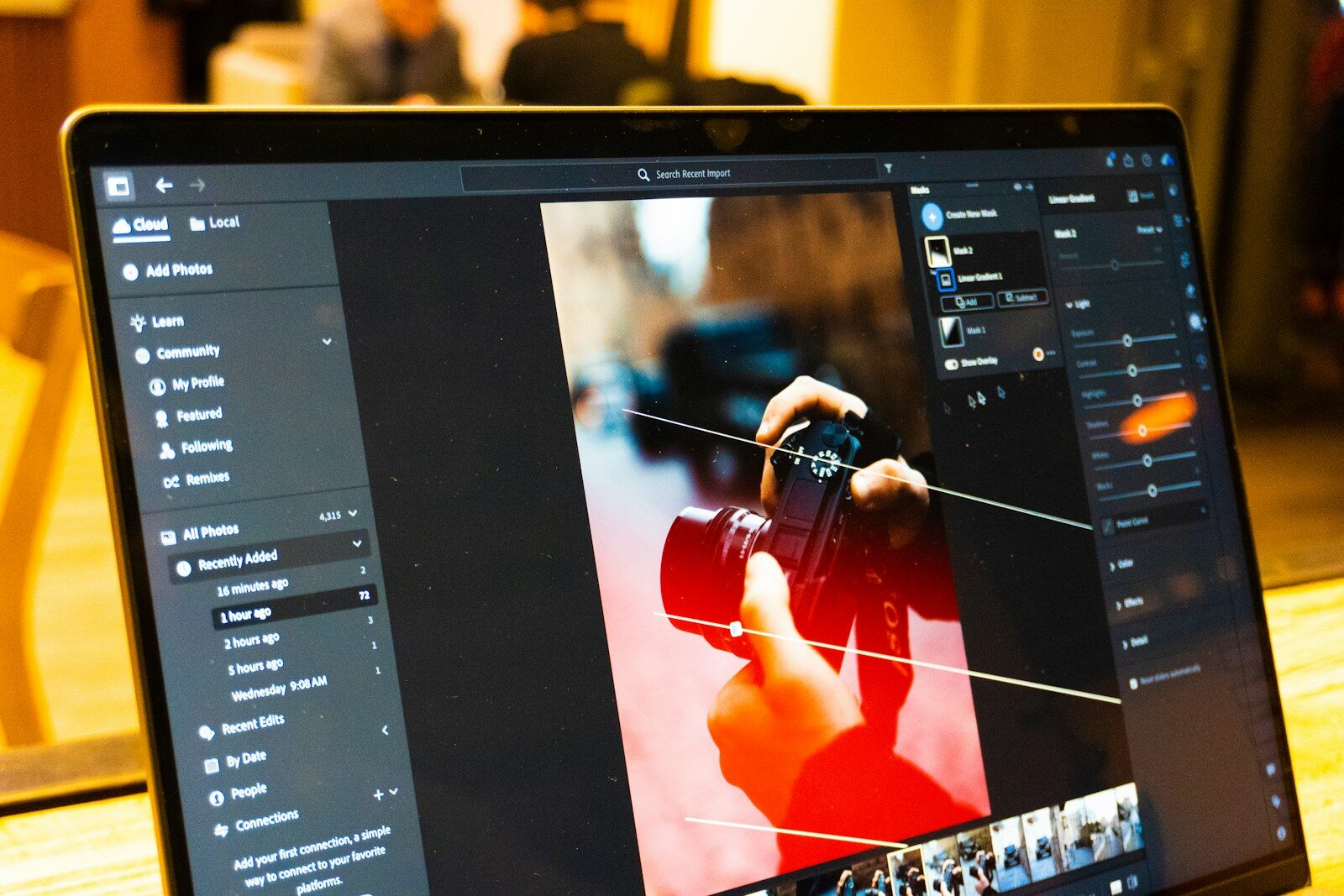
Photo editing has changed dramatically with the rise of artificial intelligence. Tasks that once required advanced Photoshop skills—such as removing unwanted objects, changing backgrounds, expanding images, improving resolution, restoring old photographs, adjusting lighting, or creating new visual elements—can now be completed with AI-assisted tools.
An AI tool for photo editing uses artificial intelligence and machine learning to understand the content of an image and automatically perform editing tasks. Instead of manually selecting pixels, creating masks, adjusting dozens of sliders, or spending hours retouching an image, users can increasingly describe what they want in natural language and let AI handle much of the work.
In 2026, AI photo editing has become useful for photographers, digital marketers, social media creators, e-commerce businesses, graphic designers, agencies, students, influencers, and everyday smartphone users.
Adobe Photoshop, Canva, Google Photos and several specialized AI platforms now provide features such as object removal, generative fill, background replacement, image expansion, enhancement, retouching, and AI-assisted composition. Adobe’s current Photoshop tools, for example, include Generative Fill, Generative Expand, Generative Upscale, Generate Background, Harmonize and AI-powered object removal.
This article explains what an AI photo editing tool is, how it works, the best tools to consider in 2026, their major features, practical use cases, advantages, limitations, and how to choose the right tool.
What Is an AI Tool for Photo Editing?
An AI tool for photo editing is software that uses artificial intelligence to analyze, modify, enhance, or transform photographs.
Traditional photo editing generally requires users to manually perform actions such as:
- Selecting objects
- Creating masks
- Removing backgrounds
- Adjusting brightness
- Correcting colors
- Removing unwanted objects
- Retouching skin
- Resizing images
- Creating composites
- Extending image boundaries
AI photo editors automate many of these operations.
For example, instead of manually removing a person from the background, an AI editor can identify the person and reconstruct the background automatically.
Similarly, instead of manually extending a photograph from a vertical format into a horizontal format, an AI system can generate additional pixels that visually continue the original scene.
Adobe Photoshop’s Generative Fill is an example of this approach. Users can select an area and describe what they want to add, remove, or replace using a text prompt. Photoshop can then generate variations while preserving the rest of the image.
How Does an AI Photo Editing Tool Work?
Most AI photo editing systems follow a relatively simple workflow from the user’s perspective.
Step 1: Upload the Photo
The user uploads an image into the application.
The image may be a:
- Portrait
- Product photograph
- Landscape
- Screenshot
- Social media image
- Old photograph
- E-commerce image
- Advertisement creative
Step 2: AI Analyzes the Image
The AI analyzes different elements of the photograph.
It may identify:
- People
- Faces
- Objects
- Backgrounds
- Sky
- Buildings
- Clothing
- Text
- Colors
- Lighting
- Shadows
- Foreground and background areas
Step 3: User Selects an Editing Task
The user can choose a tool or provide a natural-language instruction.
For example:
Remove the person standing in the background.
Or:
Replace the background with a modern office.
Or:
Expand this image horizontally and preserve the original subject.
Step 4: AI Generates the Result
The AI processes the request and generates the modified image.
Some tools provide multiple variations so users can select the version they prefer.
Step 5: Human Refinement
Professional users can then make additional adjustments manually.
This combination of AI automation and human editing is often more effective than relying entirely on automatic editing.
Best AI Tools for Photo Editing in 2026
There are many AI-powered photo editing platforms available today. The right choice depends on whether you need professional editing, social media design, photo enhancement, background removal, product photography, or quick mobile editing.
Here are some major options.
Adobe Photoshop
Adobe Photoshop remains one of the most comprehensive options for professional image editing, while its AI capabilities have expanded significantly.
Photoshop combines traditional editing tools with generative AI.
Current AI capabilities include:
- Generative Fill
- Generative Expand
- Generative Upscale
- Generate Background
- Harmonize
- Remove Tool
- Reflection Removal
- Generate Image
- Generate Similar
- AI model selection
- Object manipulation
Adobe says Photoshop can use Adobe Firefly models as well as selected partner models for generative editing.
Generative Fill allows users to select an area and enter a prompt describing what should be added or changed. Photoshop creates the result on a generative layer, allowing non-destructive editing.
Best for
- Professional photographers
- Graphic designers
- Marketing agencies
- Advertising creatives
- Product photography
- Advanced retouching
- Professional composites
Example
A digital marketer could upload a product photograph and use AI to remove unwanted objects, extend the background, create different compositions, and prepare the image for multiple advertising formats.
Canva AI Photo Editor
Canva is particularly useful for people who want AI photo editing combined with graphic design.
Its AI photo editor allows users to modify photographs through intuitive tools and text-based instructions.
Canva currently offers features including:
- Magic Edit
- Magic Eraser
- Magic Grab
- Background Generator
- Background removal
- Object manipulation
- Image expansion
- AI-powered photo editing
Canva describes Magic Edit as a way to add or modify elements in an image using a prompt, while Magic Grab can separate subjects and make elements independently editable.
Best for
- Social media managers
- Digital marketers
- Students
- Small businesses
- Content creators
- Entrepreneurs
- Instagram creators
One major advantage is that photo editing and graphic design can happen inside the same workflow.
For example:
- Upload a product image.
- Remove the background.
- Change the background using AI.
- Add a headline.
- Add a logo.
- Resize the design for Instagram.
- Export the final creative.
Google Photos
Google Photos has also incorporated AI-powered editing capabilities for everyday users.
Google has introduced features such as:
- Magic Editor
- Magic Eraser
- Photo Unblur
- Portrait Light
These features are designed to make advanced photo corrections easier for users without professional editing skills.
Best for
- Smartphone photographers
- Family photos
- Travel photographs
- Everyday image enhancement
- Quick object removal
- Blurry photo improvement
Google Photos is particularly convenient because many users already store their photographs there.
Adobe Firefly
Adobe Firefly is another important AI platform for image creation and editing.
It can be used for tasks such as:
- Generative fill
- Image generation
- Background generation
- Image expansion
- Creative variations
- Image transformation
Firefly’s broader ecosystem is particularly useful for marketers and designers who need to generate and modify visual assets.
Best for
- Creative professionals
- Marketing teams
- Advertising agencies
- Concept development
- Generative image workflows
Firefly can also be integrated into Adobe’s broader creative workflow.
Fotor
Fotor is an online image editing platform that incorporates AI-powered features.
Depending on the workflow, users can use AI for:
- Image enhancement
- Background removal
- Retouching
- Object removal
- Image generation
- Portrait enhancement
- Upscaling
Best for
- Beginners
- Social media creators
- Quick online editing
- Portrait editing
- Small business content
Pixlr
Pixlr provides browser-based image editing with AI-assisted features.
It can be useful when users want a lightweight alternative to traditional desktop editing software.
Typical workflows include:
- Background removal
- Object removal
- AI image generation
- Image enhancement
- Creative effects
- Layer-based editing
Best for
- Beginners
- Students
- Bloggers
- Social media users
- Quick browser-based editing
Picsart
Picsart combines photo editing, design, creative effects and AI capabilities.
It is particularly popular among mobile creators and social media users.
AI-assisted workflows can help with:
- Background removal
- Object replacement
- Image generation
- Effects
- Retouching
- Creative transformations
Best for
- Instagram creators
- Mobile users
- Social media content
- Creative photography
Photoroom
Photoroom is particularly relevant for product photography and e-commerce.
Its AI-powered workflows can help businesses create product images without requiring professional photography studios for every variation.
Typical use cases include:
- Background removal
- Product background generation
- Product image enhancement
- Object isolation
- E-commerce creative production
Best for
- Amazon sellers
- E-commerce businesses
- Shopify stores
- Product photographers
- Marketplace sellers
For example, a seller can photograph a product against a simple background and then generate a more polished commercial environment around it.
Remini
Remini became popular for AI-powered photo enhancement and restoration.
It can be useful for:
- Improving image clarity
- Enhancing portraits
- Restoring older photographs
- Increasing perceived detail
Best for
- Old photos
- Portraits
- Low-quality photographs
- Smartphone images
However, AI enhancement can sometimes create details that were not present in the original photograph, so users should inspect results carefully.
Top AI Photo Editing Tools Compared
| AI Tool | Main Strength | Best For | Ease of Use |
|---|---|---|---|
| Adobe Photoshop | Advanced AI editing | Professionals | Medium |
| Canva | AI + design | Marketers and creators | Very Easy |
| Google Photos | Everyday AI editing | Smartphone users | Very Easy |
| Adobe Firefly | Generative workflows | Creative professionals | Easy |
| Fotor | Online AI editing | Beginners | Easy |
| Pixlr | Browser editing | Students and creators | Easy |
| Picsart | Creative mobile editing | Social media creators | Very Easy |
| Photoroom | Product photography | E-commerce | Very Easy |
| Remini | Enhancement/restoration | Portraits and old photos | Very Easy |
AI Photo Editing Features You Should Know
AI photo editing isn’t just one feature. Modern platforms provide several different capabilities.
AI Background Removal
Background removal is one of the most common AI photo editing applications.
AI identifies the main subject and separates it from the background.
This can be useful for:
- Product photography
- Profile pictures
- E-commerce
- Social media
- Advertisements
- Presentations
For example, an e-commerce seller can automatically remove a bedroom or living-room background from a product photograph.
AI Background Replacement
Background replacement goes one step further.
Instead of simply removing the background, AI creates or inserts a new environment.
For example:
Put this product on a premium marble table in a luxury studio.
The AI can generate a new visual environment around the original subject.
Canva’s current AI photo editor includes background-generation functionality that allows users to describe a desired background using a prompt.
AI Object Removal
Object removal allows users to eliminate unwanted elements.
Examples include:
- People
- Cars
- Wires
- Poles
- Signs
- Trash
- Background objects
Photoshop’s current AI-powered Remove workflow can automatically detect and remove unwanted elements such as background people, vehicles, wires and poles.
AI Object Replacement
Instead of simply removing an object, AI can replace it.
For example:
Replace the coffee cup with a smartphone.
This can be useful for advertising and creative experimentation.
Generative Fill
Generative Fill is one of the most important developments in AI photo editing.
Instead of only manipulating existing pixels, generative AI can create new image content.
For example, you could select an empty area and ask the AI to generate:
- A tree
- A person
- A building
- Furniture
- Product packaging
- Clouds
- Decorative elements
Photoshop’s Generative Fill is designed for adding, removing and replacing image content using text prompts.
AI Image Expansion
Sometimes an image has the wrong aspect ratio.
For example, you might have a vertical image but need a horizontal banner.
AI expansion can generate additional content around the original photograph.
This can be useful for:
- YouTube thumbnails
- Website banners
- Facebook ads
- Instagram posts
- LinkedIn graphics
- Blog headers
Photoshop’s Generative Expand and Canva’s Magic Expand are examples of AI-assisted image expansion workflows.
AI Image Upscaling
AI upscaling attempts to improve the apparent resolution and detail of an image.
It can be useful when working with:
- Small product images
- Old photographs
- Low-resolution graphics
- Cropped photographs
- Website images
Photoshop currently offers Generative Upscale for increasing image quality and clarity.
AI Photo Restoration
Old photographs often suffer from:
- Scratches
- Noise
- Fading
- Low resolution
- Blur
- Missing detail
AI restoration tools can attempt to reconstruct and enhance these photographs.
This makes AI particularly useful for digitizing family archives and historical photographs.
However, restoration should be treated as enhancement rather than a guaranteed recovery of the original image.
AI Portrait Editing
AI can assist with portrait editing by improving:
- Skin appearance
- Lighting
- Sharpness
- Background
- Facial details
- Color balance
However, aggressive AI retouching can make people look unnatural.
For professional photography, subtle adjustments generally produce more believable results.
AI Color Correction
AI can analyze an image and automatically improve its:
- Exposure
- Contrast
- White balance
- Saturation
- Color temperature
- Shadows
- Highlights
This can significantly reduce repetitive editing work.
AI Lighting Adjustment
Some tools can intelligently modify lighting conditions.
For example:
Make the subject brighter while maintaining the natural shadows.
AI can analyze the relationship between the subject and background and attempt to create a more coherent result.
AI Photo Editing for Social Media
Social media is one of the biggest applications of AI photo editing.
Creators constantly need different versions of the same image.
A single photograph might need to become:
- Instagram post
- Instagram Story
- Facebook advertisement
- LinkedIn post
- YouTube thumbnail
- Website banner
- Pinterest creative
AI can accelerate the transformation process.
For example, a creator can use AI expansion to change the composition and then use a design platform to add text, branding and calls to action.
AI Photo Editing for Digital Marketing
Digital marketers can use AI photo editing tools for many campaigns.
Social Media Marketing
Marketers can quickly create:
- Product creatives
- Promotional graphics
- Festival posts
- Quote graphics
- Educational posts
- Carousel images
Paid Advertising
AI editing can help create multiple creative variations.
For example:
Original product photo → background variation → headline → CTA → ad format
This makes creative testing faster.
Website Marketing
AI can help marketers prepare:
- Hero images
- Product images
- Blog thumbnails
- Service-page visuals
- Landing-page graphics
Influencer Marketing
Influencers can use AI editing to adapt photographs for different campaigns while maintaining consistent branding.
AI Photo Editing for E-Commerce
E-commerce businesses have an especially strong use case for AI image editing.
A product may need dozens of photographs across different marketplaces and advertising campaigns.
AI can help with:
- Background removal
- Background generation
- Product enhancement
- Shadow creation
- Image resizing
- Product isolation
- Creative variations
For example, a fashion business could take one product photograph and create several visual environments for advertisements.
AI Photo Editing for Product Photography
Traditional product photography can become expensive when businesses need many variations.
AI can reduce some of that production workload.
A workflow could look like:
- Photograph the product.
- Remove the original background.
- Improve image quality.
- Generate a suitable background.
- Add realistic shadows.
- Resize for different platforms.
- Create advertising variations.
The final output should still be checked by a human because generated shadows, textures and product details can sometimes look incorrect.
AI Photo Editing for Real Estate
Real estate professionals can use AI editing to improve property photographs.
Possible applications include:
- Removing clutter
- Improving lighting
- Enhancing skies
- Removing unwanted objects
- Virtual staging
- Correcting image composition
AI can be especially useful when a property needs visually consistent images across multiple listings.
AI Photo Editing for Travel Content
Travel creators can use AI tools to:
- Remove crowds
- Remove unwanted objects
- Improve skies
- Correct exposure
- Enhance colors
- Expand photographs
- Create social media versions
But travel photographs should retain a reasonable connection to the actual location when they are being used as factual representations.
AI Photo Editing for Professional Photographers
Professional photographers can use AI to reduce repetitive editing work.
Instead of manually performing every basic correction, AI can assist with:
- Culling
- Enhancement
- Retouching
- Masking
- Background removal
- Object removal
- Upscaling
The photographer can then spend more time on creative decisions.
AI Photo Editing for Students
Students can use AI photo editors for:
- College projects
- Presentations
- Posters
- Social media
- Photography assignments
- Creative projects
Beginner-friendly tools such as Canva can be particularly useful because users don’t need extensive Photoshop knowledge.
AI Photo Editing for Small Businesses
Small businesses often don’t have dedicated graphic designers.
AI tools can help business owners create:
- Product photographs
- Social media creatives
- Promotional banners
- Website images
- Advertisement graphics
- Festival campaigns
This can reduce the technical barrier to professional-looking visual content.
How to Write Better AI Photo Editing Prompts
The quality of an AI edit often depends on how clearly the user describes the desired change.
A useful prompt can specify:
- Object
- Location
- Style
- Lighting
- Color
- Perspective
- Composition
- Realism
For example, instead of:
Change background.
Try:
Replace the background with a clean modern office, natural daylight, realistic shadows, professional corporate photography style, and preserve the original person’s appearance.
Example Prompt for Product Photography
Place the product on a premium white marble surface with soft studio lighting, realistic natural shadow, clean luxury background and commercial product photography style.
Example Prompt for Social Media
Extend the background horizontally while keeping the person centered, preserve the original appearance, add clean negative space on the right side for marketing text, realistic photography.
Example Prompt for Portrait Editing
Improve lighting and sharpness while maintaining natural skin texture, preserve facial identity, reduce distractions in the background, and keep the photograph realistic.
AI Photo Editing vs Traditional Photo Editing
| Factor | AI Photo Editing | Traditional Editing |
|---|---|---|
| Speed | Usually faster | Often slower |
| Object removal | Automated | Manual |
| Background removal | Automated | Manual/assisted |
| Generative changes | Very capable | Requires manual compositing |
| Learning curve | Often lower | Can be high |
| Creative control | Increasingly strong | Extremely high |
| Precision | Depends on AI output | Very high with expertise |
| Repetitive work | Highly automatable | Time-consuming |
| Human involvement | Still important | Essential |
| Best use | Speed + automation | Maximum control |
AI does not necessarily replace traditional photo editing.
In many professional workflows, the two approaches complement each other.
Benefits of Using AI Tools for Photo Editing
Faster Editing
AI can automate tasks that previously took several minutes or hours.
Beginner-Friendly
Many AI editors use natural language instead of requiring advanced technical knowledge.
Faster Creative Experimentation
Users can generate multiple versions of an image quickly.
Better Productivity
Marketing teams can produce more visual assets without manually editing every image.
Easier Background Editing
Background removal, replacement and expansion are significantly easier with AI-assisted workflows.
Useful for Multiple Platforms
A single image can be adapted for different social media and advertising formats.
Lower Barrier to Professional Design
Small businesses can create more polished visual assets without maintaining a large design team.
Limitations of AI Photo Editing
AI photo editing is powerful, but it isn’t perfect.
AI Can Make Mistakes
Generated elements can sometimes contain:
- Distorted hands
- Incorrect text
- Strange objects
- Unnatural shadows
- Inconsistent reflections
- Incorrect proportions
Identity Can Change
Aggressive portrait editing can unintentionally change facial features.
Product Details Can Be Altered
This is especially important for e-commerce.
If an AI changes the shape, color, texture or features of a product, the image may no longer accurately represent the actual item.
Privacy Considerations
Users should understand how an application handles uploaded photographs, especially when editing sensitive personal or business images.
Copyright and Commercial Usage
AI-generated or AI-modified content can involve licensing and copyright considerations. Users should review the applicable terms of the platform and the laws relevant to their jurisdiction.
Adobe, for example, distinguishes between different AI models and workflows when discussing commercial use of generated content, so users should not assume every AI feature has identical usage rights.
How to Choose the Right AI Photo Editing Tool
Before selecting an AI photo editor, consider your actual requirement.
For Professional Photo Editing
Consider a comprehensive tool such as Photoshop.
For Social Media Marketing
A platform such as Canva can be convenient because editing and graphic design are integrated.
For Mobile Photos
Google Photos and mobile-focused editing applications can be convenient for everyday users.
For E-Commerce
Look for tools focused on product photography, background removal and commercial image creation.
For Old Photos
Choose an editor with restoration, enhancement and upscaling capabilities.
For Quick Object Removal
Look for tools with reliable AI erase or remove functionality.
A Simple AI Photo Editing Workflow
A practical workflow for a digital marketer could look like this:
Step 1: Capture the Original Photo
Start with the highest-quality original image available.
Step 2: Remove Unwanted Elements
Use AI to remove distractions.
Step 3: Improve the Image
Adjust:
- Exposure
- Contrast
- Sharpness
- Color
- Lighting
Step 4: Modify the Background
Generate or replace the background if appropriate.
Step 5: Expand the Image
Adapt the image to the required aspect ratio.
Step 6: Add Branding
Add:
- Logo
- Brand colors
- Headline
- CTA
Step 7: Export Multiple Versions
Prepare versions for:
- Website
- Google Ads
- Meta Ads
Step 8: Perform Human Quality Control
Always inspect the final image before publishing.
Can AI Edit Photos Using Text Prompts?
Yes.
Natural-language editing is one of the biggest changes introduced by generative AI.
Instead of searching through multiple menus, users can describe the desired change.
For example:
Remove the people behind the subject and replace them with a clean city background.
The AI interprets the instruction and generates an appropriate modification.
Photoshop’s current Generative Fill workflow specifically supports text prompts for targeted image changes.
Can AI Remove People From Photos?
Yes.
Many AI photo editors can detect people and attempt to remove them.
This can be useful when:
- A tourist is blocking a landmark.
- A stranger appears in a family photo.
- A background person distracts from a product.
- A street photograph contains unwanted pedestrians.
The quality depends on the complexity of the background.
Can AI Improve Blurry Photos?
AI enhancement tools can attempt to improve blurry or low-quality photographs.
However, AI cannot magically recover every piece of information that was never captured.
Instead, it estimates plausible detail based on patterns learned from image data.
Therefore, users should distinguish between enhancing an image and recovering the exact original information.
Can AI Change the Background of a Photo?
Yes.
Background replacement is one of the most common AI photo editing tasks.
Users can either:
- Replace the background with another photograph.
- Generate a new background using a text prompt.
For example:
Replace the background with a luxury hotel lobby.
The AI can then attempt to generate a matching environment.
Can AI Make Product Photos?
Yes.
AI can help transform basic product photographs into more polished commercial visuals.
A typical workflow is:
Product photograph → background removal → AI-generated environment → lighting/shadow → branding → final advertisement
This can be particularly useful for small e-commerce businesses.
Is AI Photo Editing Free?
Some AI photo editors offer free features, while advanced capabilities may require paid plans, subscriptions, credits or usage limits.
Availability can also vary by platform and feature.
For example, Adobe offers trials and subscription-based Photoshop plans with generative AI capabilities, while other platforms provide a combination of free and premium functionality.
Before choosing a tool, check:
- Free credits
- Export limits
- Resolution limits
- Watermarks
- Commercial-use terms
- AI generation limits
- Storage
- Privacy policies
AI Photo Editing for Digital Marketing Agencies
Digital marketing agencies can use AI photo editing to speed up creative production.
An agency managing multiple clients may need hundreds of visual assets every month.
AI can assist with:
- Social media content
- Ad creatives
- Product images
- Blog images
- Website graphics
- Landing-page visuals
- Email marketing graphics
- Promotional campaigns
The agency can then combine AI editing with human design strategy.
AI Photo Editing and Advertising
Advertising teams often need multiple creative variations.
For example, one product photograph could be adapted into:
- Premium version
- Minimal version
- Lifestyle version
- Seasonal version
- Festival version
- Discount promotion
- Social media creative
Instead of producing every variation manually, AI can accelerate the initial creative process.
The marketing team can then test different concepts.
AI Photo Editing for Personal Branding
Personal brands can also benefit from AI photo editing.
Creators can use AI to maintain consistent visual identity across:
- YouTube
- Websites
- Presentations
- Personal portfolios
For example, a professional portrait can be cleaned up, placed on a suitable background, resized and incorporated into branded social media designs.
What Is the Future of AI Photo Editing?
AI photo editing is moving toward more conversational and context-aware workflows.
Instead of operating individual tools separately, users may increasingly describe the entire desired result.
For example:
Take this photograph, remove the background distractions, place the subject in a modern office, improve the lighting, expand the canvas for LinkedIn, and leave enough empty space on the left for a headline.
The AI system can potentially perform multiple editing operations as one workflow.
Another important development is the combination of generative AI with traditional professional editing controls.
Photoshop’s current AI workflow illustrates this direction by combining generative tools with layers, selections and conventional editing controls.
Frequently Asked Questions
What is the best AI tool for photo editing?
The right tool depends on the task. Photoshop is designed for advanced professional editing, while Canva is convenient for AI editing combined with graphic design. Google Photos is useful for everyday photo enhancement, and specialized platforms can be more convenient for e-commerce or mobile workflows.
Which AI tool can edit photos using text prompts?
Several modern AI editors support prompt-based editing. Adobe Photoshop’s Generative Fill allows users to select an area and describe the desired change using natural language. Canva also supports prompt-based AI photo editing through features such as Magic Edit.
Can AI remove objects from photos?
Yes. AI object-removal tools can detect unwanted objects and reconstruct the surrounding area. Results are generally strongest when the background is relatively simple.
Can AI change a photo background?
Yes. AI can remove an existing background and either replace it with another image or generate a new environment.
Can AI increase photo quality?
Yes. AI enhancement and upscaling tools can improve perceived sharpness, clarity and resolution, although the output is an AI-generated reconstruction rather than a perfect recovery of missing information.
Is Photoshop an AI photo editing tool?
Yes. Modern Photoshop includes numerous AI-powered features such as Generative Fill, Generative Expand, Generative Upscale, Generate Background, Harmonize and AI-assisted removal.
Is Canva an AI photo editor?
Yes. Canva provides AI-powered photo editing features including Magic Edit, Magic Eraser, Magic Grab and Background Generator.
Can AI edit photos on mobile?
Yes. Several AI photo editing platforms provide mobile applications or browser-based mobile workflows. Adobe also provides selected Photoshop AI capabilities through its mobile app and web experience.
Can AI create realistic product photos?
AI can create or modify product-photo environments and compositions, but businesses should verify the final result carefully. Product shape, color, dimensions and features should remain accurate when an image represents a real product.
Can AI replace professional photo editors?
AI can automate many repetitive editing tasks, but professional editors still provide important creative judgment, visual consistency, quality control and specialized retouching.
What should I check before publishing an AI-edited photo?
Check the subject’s appearance, hands, facial details, product dimensions, text, shadows, reflections, background consistency and overall realism. Also check whether the tool’s licensing terms allow your intended commercial use.
Final Thoughts
An AI tool for photo editing can dramatically simplify the way people enhance, modify and create photographs.
Tasks such as background removal, object removal, image expansion, enhancement, restoration, retouching and generative editing can now be performed much faster than with traditional workflows alone.
For professional users, Photoshop provides a deep combination of AI and conventional editing capabilities. For marketers and content creators, Canva offers an accessible combination of AI photo editing and design. Google Photos is useful for everyday users, while specialized platforms can serve product photography, mobile editing and image enhancement needs.
The most effective approach isn’t necessarily to let AI do everything.
A strong workflow is:
AI automation + human creativity + quality control.
AI can handle repetitive work and accelerate experimentation, while the human editor remains responsible for deciding whether the final image is accurate, useful, authentic and visually effective.
As AI becomes more integrated into photo-editing software, the important skill will increasingly shift from knowing every individual editing button to understanding what needs to be changed, how to describe the desired result, and how to evaluate the AI’s output.