
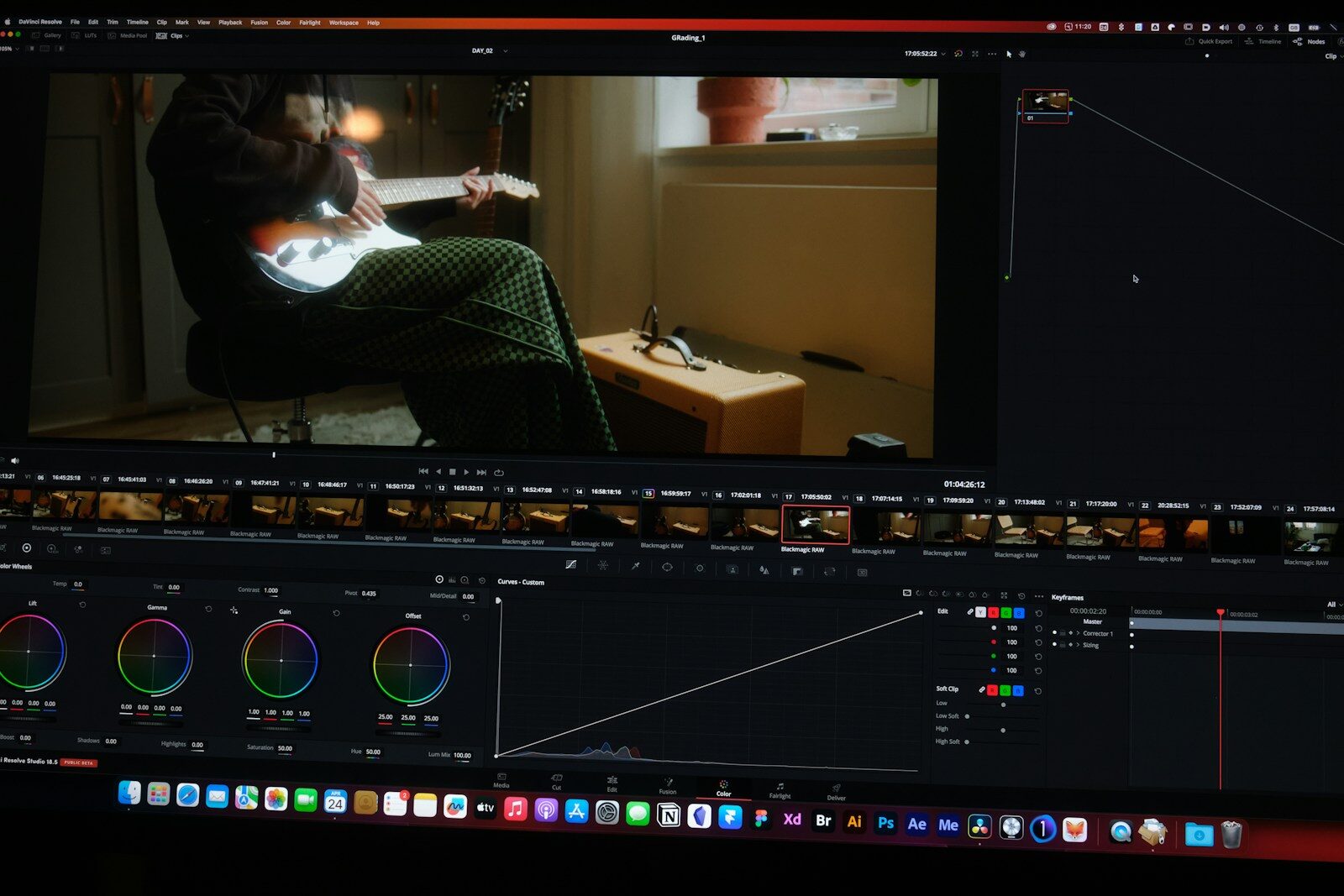
Video has become one of the most important formats for content marketing, education, entertainment, personal branding, and social media. However, creating short-form videos from long-form content can be extremely time-consuming.
A one-hour podcast, webinar, interview, livestream, lecture, or YouTube video may contain dozens of useful moments, but manually finding those moments, cutting them, adding captions, changing the aspect ratio, improving the audio, and preparing them for social media can take hours.
This is where an AI video clipping tool becomes useful.
An AI video clipping tool uses artificial intelligence to analyze long-form videos and identify potentially useful moments that can be converted into shorter videos. Modern platforms can also automatically add captions, reframe videos for vertical platforms, remove filler words, enhance audio, add B-roll, and prepare clips for platforms such as YouTube Shorts, Instagram Reels, TikTok, Facebook, and LinkedIn.
OpusClip, for example, currently offers AI clipping, AI captioning, AI reframing, AI B-roll, audio enhancement, voice-over, scheduling, and analytics. Its ClipAnything system is designed to work across genres including vlogs, gaming, sports, interviews, and videos with little or no dialogue.
This guide explains what AI video clipping tools are, how they work, the best tools to consider in 2026, their features, use cases, advantages, limitations, and how creators and marketers can build an efficient video-repurposing workflow.
What Is an AI Video Clipping Tool?
An AI video clipping tool is software that uses artificial intelligence to find interesting or useful sections of a longer video and turn them into shorter clips.
Instead of manually watching an entire video and searching for highlights, the AI analyzes the content and identifies potential clips.
For example, suppose you have a:
60-minute podcast
The AI might identify:
- A 45-second controversial statement
- A 60-second useful tip
- A 30-second funny moment
- A 90-second educational explanation
- A strong opening statement
- An interesting story
It can then turn those moments into separate short-form videos.
Modern tools can go beyond simply cutting the video. They can also:
- Add subtitles
- Resize the video
- Track the speaker
- Remove silence
- Remove filler words
- Add B-roll
- Improve audio
- Generate hooks
- Add emojis
- Add branding
- Schedule posts
This turns AI video clipping into a broader video repurposing workflow.
Why Are AI Video Clipping Tools Becoming Popular?
The popularity of short-form video has created a huge demand for content.
Creators and businesses often need content for:
- Instagram Reels
- YouTube Shorts
- TikTok
- Facebook Reels
- X
- Websites
- Ads
The problem is that producing short videos manually requires considerable editing time.
Imagine recording one podcast every week.
A traditional workflow might look like:
Record podcast → watch entire video → identify highlights → edit clips → add captions → resize → export → upload
An AI workflow can be much faster:
Upload podcast → AI analyzes video → AI selects clips → review → edit → publish
OpusClip describes its platform as turning long videos into short clips and automating clipping, captioning, reframing, and publishing.
The creator still has control over the final content, but much of the repetitive work can be automated.
How Does an AI Video Clipping Tool Work?
An AI clipping system generally goes through several stages.
Video analysis
The system analyzes the video’s audio and visual content.
It may identify:
- Speech
- Topics
- Speaker changes
- Important statements
- Emotional moments
- Visual activity
- Scene changes
- Pauses
- Context
Transcription
The spoken content is converted into text.
This allows the system to understand what is being discussed and locate important sections.
Highlight detection
The AI looks for moments that could work as standalone clips.
Potential signals include:
- Strong statements
- Questions and answers
- Interesting stories
- Emotional moments
- Educational explanations
- Surprising information
- Humor
- Strong hooks
Clip generation
The selected section is automatically cut into a short video.
Reframing
The system can convert a horizontal video into a vertical format while attempting to keep the speaker or important subject visible.
Caption generation
The spoken words can be converted into animated captions.
Final editing
The user can review and modify the generated clip before publishing it.
Best AI Video Clipping Tools in 2026
There are several AI-powered platforms that can help creators repurpose long videos.
Some of the major tools include:
- OpusClip
- Descript
- CapCut
- Riverside
- VEED
- Klap
- Vizard
- Captions
- Adobe Premiere Pro
- InVideo
Each tool approaches AI video editing differently.
Some specialize in automatic clipping, while others provide broader editing capabilities.
OpusClip
OpusClip is one of the most dedicated AI video clipping platforms.
Its core purpose is turning long-form video into short-form content.
The platform currently offers:
- AI clipping
- AI captions
- AI reframe
- AI B-roll
- AI voice-over
- Audio enhancement
- Filler-word removal
- Social scheduling
- Analytics
- Brand templates
OpusClip says its AI can work with vlogs, sports, gaming, interviews, explainers, and other video genres rather than being limited to podcasts.
ClipAnything
One of OpusClip’s notable capabilities is ClipAnything.
The company describes it as a model designed to identify useful moments from different video genres, including videos with little or no dialogue.
This is important because traditional clipping systems often depend heavily on spoken dialogue.
AI captions
OpusClip automatically generates captions and provides animated caption styles. The company currently states that its captioning has over 97% accuracy, although users should still review captions before publishing.
AI reframe
Its AI Reframe feature can resize videos into formats such as:
- 9:16
- 16:9
- 1:1
while tracking speakers or moving subjects.
AI B-roll
The platform can also add contextually relevant B-roll to clips.
Publishing
Creators can connect social accounts and schedule or publish content from the platform.
Best for
OpusClip can be useful for:
- Podcasters
- YouTubers
- Coaches
- Educators
- Businesses
- Digital marketers
- Agencies
- Personal brands
Descript
Descript takes a different approach to video editing.
Instead of treating video editing purely as a timeline-based process, it allows users to work with a transcript.
This can be especially useful for:
- Podcasts
- Interviews
- Tutorials
- Webinars
- Talking-head videos
A creator can edit spoken content by editing the transcript and then refine the resulting video.
Its AI capabilities can also help with transcription, filler-word removal, captions, and other editing tasks.
Best for
Descript is particularly useful for creators who want:
- Transcript-based editing
- Podcast production
- Video editing
- Audio editing
- Screen recording
- Content repurposing
CapCut
CapCut is widely used for short-form video editing and provides numerous AI-powered features.
Its ecosystem includes tools for:
- Auto captions
- Background removal
- Text effects
- Templates
- Video resizing
- AI-assisted editing
- Social-media video creation
CapCut can be useful when you want more hands-on creative control after generating or selecting a clip.
Best for
- Instagram creators
- TikTok creators
- YouTube Shorts
- Social media marketers
- Beginners
Riverside
Riverside is particularly relevant for podcast and interview creators.
It combines recording and content repurposing workflows.
Instead of recording a podcast in one platform and then moving the footage into another application for clipping, creators can use an integrated workflow for recording and creating shorter content.
Best for
- Podcasts
- Interviews
- Remote recordings
- Business content
- Creator teams
VEED
VEED is an online video editing platform that combines conventional editing with AI-powered features.
It can help with:
- Auto subtitles
- Video resizing
- Transcription
- Text-based editing
- Social media content
- AI video workflows
Best for
VEED can be useful for marketers and creators who want both AI assistance and traditional browser-based editing controls.
Klap
Klap focuses heavily on converting long videos into short-form social content.
Its workflow is particularly relevant for:
- Podcasts
- Interviews
- YouTube videos
- Educational videos
- Talking-head content
AI can identify highlights and transform them into vertical clips with captions and reframing.
Best for
Creators who primarily want a dedicated long-video-to-short-video workflow.
Vizard
Vizard is another AI-powered video repurposing platform designed to help users transform long-form content into short clips.
Potential workflows include:
- Podcast clipping
- Webinar repurposing
- Social video creation
- AI captions
- Automatic reframing
- Video editing
It can be useful for marketing teams that want to produce multiple pieces of content from a single recording.
Captions
Captions focuses strongly on creator-oriented video production and AI-assisted editing.
Its capabilities can include:
- Captions
- AI editing
- Camera effects
- AI-powered enhancements
- Short-form content creation
It is particularly relevant for creators producing talking-head social content.
Adobe Premiere Pro
Adobe Premiere Pro is a professional video-editing platform rather than a dedicated automatic clipping service.
However, its AI-powered capabilities can assist with editing workflows.
Premiere Pro is more appropriate for editors who want detailed control over the final video.
Best for
- Professional editors
- Agencies
- Film production
- Advanced social media editing
- Commercial video
If your priority is “upload a podcast and automatically get ten clips,” a dedicated AI clipping platform may provide a simpler workflow.
If your priority is precise professional editing, Premiere Pro provides substantially more manual control.
AI Video Clipping Tool Comparison
| Tool | AI Clipping | Auto Captions | AI Reframing | AI Editing | Best For |
|---|---|---|---|---|---|
| OpusClip | Yes | Yes | Yes | Yes | Long videos to shorts |
| Descript | Yes/assisted | Yes | Yes | Yes | Podcasts and transcript editing |
| CapCut | Assisted | Yes | Yes | Yes | Social media creators |
| Riverside | Yes | Yes | Yes | Yes | Podcasts and interviews |
| VEED | Yes/assisted | Yes | Yes | Yes | Marketing and social content |
| Klap | Yes | Yes | Yes | Yes | Long-form repurposing |
| Vizard | Yes | Yes | Yes | Yes | Content teams |
| Captions | Yes/assisted | Yes | Yes | Yes | Talking-head creators |
| Premiere Pro | Assisted | Yes | Yes | Advanced | Professional editing |
The right tool depends on whether your priority is automatic clipping, editing control, podcast production, social media publishing, or professional post-production.
AI Video Clipping for YouTube
YouTube creators can use AI clipping tools to turn long videos into Shorts.
Suppose you publish a:
30-minute YouTube tutorial
The video may contain several moments that can become Shorts.
For example:
- “3 SEO mistakes beginners make”
- “The fastest way to find keywords”
- “Why your website isn’t ranking”
- “One SEO trick nobody tells you”
An AI clipping tool can identify sections related to these topics.
The creator can then review the clips, improve the hook, add branding, and publish them as Shorts.
This allows one long-form video to become multiple pieces of content.
AI Video Clipping for Podcasts
Podcasts are one of the strongest use cases for AI clipping.
A one-hour podcast might contain dozens of potential short clips.
A practical workflow is:
Record podcast → Transcribe → Identify highlights → Generate clips → Add captions → Reframe → Review → Publish
The AI can identify sections based on:
- Topic
- Speaker
- Sentiment
- Key statement
- Question
- Story
- Audience relevance
The creator should still review the beginning and ending of each clip to make sure the conversation makes sense without the original context.
AI Video Clipping for Instagram Reels
Instagram Reels generally favor short, visually engaging content.
AI clipping tools can convert long-form footage into vertical clips and automatically reframe the subject.
OpusClip’s current AI Reframe supports 9:16, 16:9, and 1:1 formats and can track moving subjects.
For Reels, creators should pay particular attention to:
- First-second hook
- Captions
- Visual movement
- Text placement
- Clip length
- Branding
- Call to action
Automatic clipping solves the editing problem, but it doesn’t guarantee that the clip will perform well.
AI Video Clipping for YouTube Shorts
YouTube Shorts are another natural use case.
A long video can be repurposed into multiple Shorts.
For example:
1 podcast → 8 Shorts
or:
1 webinar → 12 educational clips
or:
1 interview → 10 expert clips
The advantage is that creators don’t need to record separate content for every Short.
Instead, they can build a content library from existing long-form recordings.
AI Video Clipping for TikTok
TikTok creators can also repurpose long-form content.
AI can identify:
- Strong statements
- Funny moments
- Stories
- Tutorials
- Reactions
- Interesting questions
The clips can then be reformatted vertically and edited for TikTok.
However, a clip designed for YouTube Shorts may not always be ideal for TikTok.
Different platforms have different audience expectations.
AI Video Clipping for LinkedIn
AI video clipping isn’t only for entertainment.
LinkedIn creators and businesses can repurpose:
- Webinars
- Interviews
- Conferences
- Sales presentations
- Expert discussions
- Tutorials
- Podcasts
For LinkedIn, the clips often work better when they focus on:
- Business insights
- Industry knowledge
- Case studies
- Leadership
- Professional lessons
- Data
- Practical advice
A 45-minute webinar could potentially become a series of short educational posts.
AI Video Clipping for Digital Marketing
Digital marketers can use AI video clipping to turn existing marketing content into multiple assets.
For example:
One webinar
can become:
- 5 Reels
- 5 Shorts
- 5 LinkedIn videos
- 10 social posts
- 1 blog article
- Multiple quote graphics
This is called content repurposing.
The original content becomes the source material for an entire content distribution strategy.
AI Video Clipping for Personal Branding
Personal branding is another strong use case.
Suppose a digital marketer records a one-hour video discussing:
“How AI is changing digital marketing.”
That recording could produce clips covering:
- AI SEO
- AI advertising
- AI content
- AI automation
- AI agents
- Future digital marketing jobs
Instead of posting one video, the creator can build an entire week’s or month’s worth of short-form content.
AI Video Clipping for Education
Teachers, trainers, coaches, and course creators can use AI clipping tools to repurpose lectures.
A two-hour class could be converted into shorter educational clips such as:
- Definition videos
- Concept explanations
- Examples
- FAQs
- Exam tips
- Practical demonstrations
This can be particularly useful for online education businesses.
AI Video Clipping for Businesses
Businesses can turn existing video assets into social media content.
Examples include:
- Product demonstrations
- Customer interviews
- CEO interviews
- Webinars
- Training sessions
- Events
- Conferences
- Product launches
Instead of leaving a two-hour webinar unused after the event, marketing teams can extract dozens of smaller assets.
What Features Should You Look for in an AI Video Clipping Tool?
Not all AI clipping tools are equally useful.
Consider these features before choosing one.
AI highlight detection
The platform should be able to identify useful sections rather than simply cutting the video at fixed intervals.
Automatic captions
Captions are essential for many short-form videos.
AI reframing
Look for automatic subject tracking when converting horizontal video into vertical content.
Multiple aspect ratios
Useful formats include:
- 9:16
- 1:1
- 16:9
Custom clip length
Different platforms and content types require different lengths.
Hook detection
Some tools analyze the beginning of a clip and attempt to identify stronger hooks.
Filler-word removal
Removing unnecessary “um,” “uh,” pauses, and similar filler can improve the final result.
Audio enhancement
Good audio is essential for talking-head and podcast content.
B-roll
Contextually relevant B-roll can make otherwise static footage more engaging.
Brand templates
Businesses should be able to maintain:
- Logo
- Fonts
- Colors
- Intro
- Outro
- Caption style
Social publishing
Direct scheduling can reduce the number of steps between editing and publishing.
How to Create Short Clips From a Long Video Using AI
The basic process is straightforward.
Step 1: Record your long-form content
Create a podcast, interview, webinar, tutorial, livestream, or YouTube video.
Step 2: Upload the video
Upload the video to an AI clipping platform.
Some platforms also allow video imports from services such as YouTube, Google Drive, Vimeo, Zoom, and other sources. OpusClip currently supports multiple video sources depending on the plan.
Step 3: Let the AI analyze the video
The AI analyzes the video’s content and identifies potential highlights.
Step 4: Review generated clips
Don’t publish everything automatically.
Watch the clips and check:
- Context
- Accuracy
- Captions
- Beginning
- Ending
- Visual framing
Step 5: Improve the hook
The first few seconds matter.
A strong clip should make the viewer understand why they should continue watching.
Step 6: Add branding
Add your:
- Logo
- Colors
- Fonts
- Handle
- CTA
Step 7: Export or schedule
Publish the finished clip to the appropriate platform.
AI Video Clipping Prompt Examples
Some modern AI video editors allow natural-language instructions.
For example:
“Find the three strongest moments where the speaker gives practical SEO advice and create clips between 30 and 60 seconds.”
Another example:
“Find the most surprising statement in this podcast and create a 45-second vertical clip with captions.”
For educational content:
“Find every section where the speaker explains a practical step and create separate short clips for each topic.”
Natural-language instructions can make AI clipping more controllable.
OpusClip currently provides AI Copilot capabilities and supports prompting the system to clip particular moments.
AI Clipping vs Manual Video Editing
| Factor | AI Clipping | Manual Editing |
|---|---|---|
| Speed | Very fast | Slow |
| Highlight discovery | Automated | Manual |
| Captions | Automated | Manual/assisted |
| Reframing | Automated | Manual/assisted |
| Creative control | Moderate | Very high |
| Large-scale repurposing | Excellent | Time-consuming |
| Precision | Good | Excellent |
| Best for | High-volume social content | Detailed professional editing |
AI is particularly valuable when the goal is to create a large volume of short-form content.
Manual editing remains valuable when every frame requires precise creative control.
Benefits of AI Video Clipping Tools
Saves editing time
The biggest advantage is speed.
Creates more content from existing videos
One long recording can produce many short clips.
Makes video repurposing easier
You don’t need to manually search through hours of footage.
Automates captions
This reduces repetitive editing.
Automatically changes video formats
Horizontal footage can be adapted for vertical platforms.
Supports content consistency
Brand templates can make multiple clips look consistent.
Helps smaller teams
A small marketing team can produce more content without hiring a large editing department.
Limitations of AI Video Clipping Tools
AI clipping is powerful, but it isn’t perfect.
AI can choose the wrong moment
A technically interesting sentence isn’t always a great social-media clip.
Context can be lost
A clip taken out of a longer conversation may become misleading.
Captions can contain errors
Always review names, numbers, technical terms, and unusual words.
Hooks can become repetitive
Automatically generated clips may use similar structures.
AI doesn’t fully understand your brand
Human review is still important.
Viral scores aren’t guarantees
Some platforms provide virality scores, but a score is an estimate rather than a guarantee of performance. OpusClip, for example, provides an AI-generated virality score for clips.
How to Make AI-Generated Clips Better
Don’t simply accept the first output.
Use this workflow:
AI selection → Human review → Hook improvement → Caption review → Branding → Final edit → Publish → Analyze
Pay particular attention to the first few seconds.
Remove unnecessary introductions.
For example:
Instead of:
“Hello everyone, welcome back to today’s podcast. Today we’re going to discuss…”
start with:
“Most businesses are wasting money on SEO because they’re targeting the wrong keywords.”
The second opening creates a stronger reason to continue watching.
AI Video Clipping for Agencies
Agencies can benefit significantly from AI clipping.
Imagine an agency manages:
10 clients × 4 long-form videos per month
That’s 40 long videos.
If each video can produce several short clips, the potential content volume becomes much larger.
An agency can establish a workflow:
Client footage → AI clipping → Editor review → Brand template → Approval → Scheduling
OpusClip currently supports team workspaces, brand templates, social connections, and API-based workflow integration for larger operations.
This makes AI clipping particularly relevant to social media agencies.
AI Video Clipping and Automation
The next stage of AI video clipping is automation.
Instead of:
Upload → Clip → Download → Upload to Instagram
the workflow can become:
Video uploaded → AI identifies clips → Captions generated → Clips branded → Scheduled → Published → Analytics collected
OpusClip’s current platform includes social scheduling and analytics, while its API and MCP capabilities are designed to connect clipping and repurposing workflows with other systems.
This moves AI clipping from a simple editing tool toward a content-production system.
Future of AI Video Clipping Tools
AI video clipping is likely to become increasingly autonomous.
Future systems may be able to understand:
- Brand identity
- Audience preferences
- Historical performance
- Platform-specific content patterns
- Video topics
- Speaker style
- Campaign objectives
An AI system could eventually make recommendations such as:
“This webinar contains seven clips that match your current LinkedIn campaign. Three are educational, two are promotional, and two are suitable for lead generation.”
The system could then generate platform-specific versions automatically.
Another major development is agentic video editing.
Instead of clicking through dozens of editing controls, creators may simply tell an AI:
“Turn this webinar into five professional LinkedIn videos and ten Instagram Reels. Keep my branding, use a strong hook, add captions, and remove long pauses.”
The AI can then perform the editing workflow.
Frequently Asked Questions About AI Video Clipping Tools
What is an AI video clipping tool?
An AI video clipping tool automatically analyzes long-form video and identifies useful moments that can be turned into shorter videos. Many tools also provide captions, reframing, editing, audio enhancement, and publishing features.
What is the best AI video clipping tool?
There is no single tool that is best for every workflow. OpusClip is strongly focused on automated long-video-to-short-video repurposing, while platforms such as Descript, CapCut, Riverside, VEED, and Premiere Pro provide different combinations of clipping and editing capabilities.
Can AI automatically create Shorts from a YouTube video?
Yes. Several AI video tools can analyze long-form videos and generate short clips suitable for platforms such as YouTube Shorts, Instagram Reels, and TikTok.
Can AI clip podcasts automatically?
Yes. Podcast clipping is one of the major use cases for AI video clipping. AI can analyze transcripts and audio/video content to identify potentially interesting sections.
Can AI add captions automatically?
Yes. Modern AI video clipping platforms can automatically transcribe speech and add captions. OpusClip, for example, provides AI captioning and animated caption styles.
Can AI convert horizontal videos into vertical videos?
Yes. AI reframing tools can automatically resize videos while attempting to keep speakers or important subjects in frame. OpusClip currently supports 9:16, 16:9, and 1:1 formats.
Can AI find viral moments?
AI tools can identify moments that they estimate have strong engagement potential. Some platforms provide a virality score. However, no AI system can guarantee that a clip will go viral.
Can AI video clipping replace a video editor?
For repetitive clipping and social-media repurposing, AI can automate a significant amount of work. Professional editors are still valuable for storytelling, advanced effects, precise creative decisions, color grading, sound design, and brand-sensitive projects.
Can AI create multiple clips from one video?
Yes. This is one of the main purposes of AI video clipping. A single podcast, webinar, interview, or YouTube video can be transformed into multiple short clips.
Is AI video clipping useful for digital marketing?
Yes. Marketers can repurpose webinars, interviews, podcasts, product demonstrations, tutorials, and other long-form content into multiple social-media assets.
Final Thoughts
An AI video clipping tool can dramatically change the way creators and businesses produce short-form content.
Instead of manually watching an hour-long recording and searching for highlights, AI can analyze the video, identify potential moments, create clips, generate captions, reframe the footage, enhance audio, add B-roll, and prepare the content for social platforms.
Platforms such as OpusClip are pushing this workflow further by combining AI clipping with captions, reframing, B-roll, audio enhancement, publishing, analytics, and AI-assisted editing.
But the best workflow isn’t:
AI → Publish everything
It is:
Record → AI analysis → AI clipping → Human review → Improve hook → Brand → Publish → Analyze
The AI handles repetitive editing.
The creator handles the story.
And that combination is what makes AI video clipping genuinely useful for modern content marketing.