
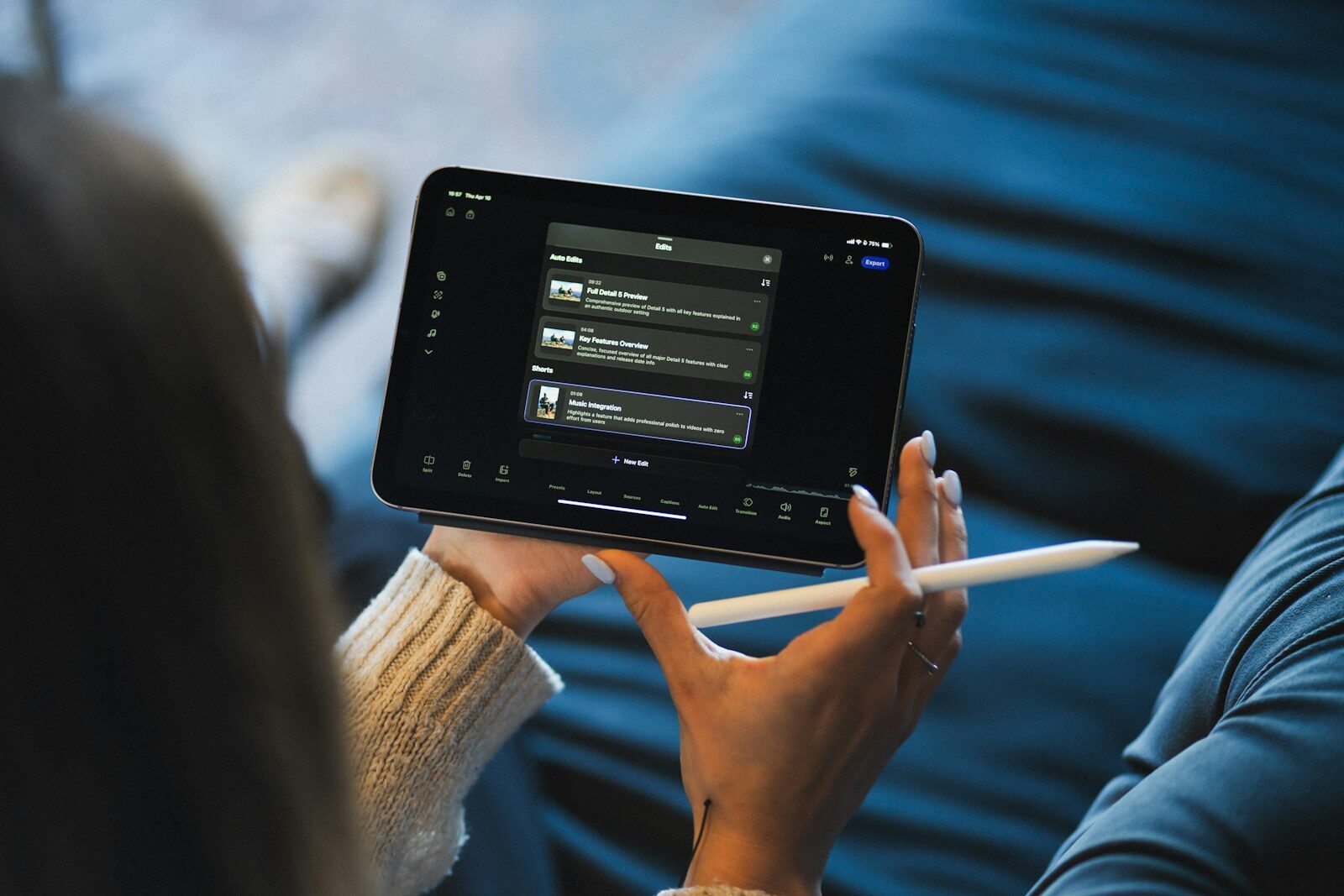
Video editing used to require hours of manual work.
Editors had to import footage, organize clips, trim unwanted sections, remove pauses, synchronize audio, add subtitles, correct colors, resize videos for different platforms, create transitions, and export multiple versions.
Artificial intelligence is changing that workflow.
A video editing AI tool can automate many of these repetitive tasks and help creators turn raw footage into polished videos faster. Modern AI video editors can automatically generate captions, remove filler words, detect scenes, enhance speech, reframe videos, search footage using natural language, remove backgrounds, generate or extend footage, and even edit videos through text or simple instructions.
In 2026, AI video editing is no longer limited to experimental tools. Major professional editors such as Adobe Premiere Pro have integrated AI deeply into the editing workflow, while tools such as Descript, CapCut, Runway, OpusClip, VEED, and others focus on different types of AI-assisted production. Adobe’s current Premiere features include AI-powered Object Mask, Media Intelligence, Text-Based Editing, Generative Extend, Enhance Speech, Auto Reframe, and AI-assisted audio workflows.
But there is an important distinction.
An AI video editor is not necessarily the same thing as an AI video generator.
An AI video editor primarily helps you modify, organize, improve, and repurpose existing footage. An AI video generator can create new video content from text or images.
This guide focuses primarily on AI video editing tools and explains what they do, the best options available in 2026, how to use them, which tool is suitable for different users, and how AI can fit into a professional video-editing workflow.
What Is a Video Editing AI Tool?
A video editing AI tool is software that uses artificial intelligence and machine-learning technologies to automate or assist with video-editing tasks.
Traditional video editing requires the editor to make many decisions manually.
For example, when editing a 60-minute interview, an editor may need to:
- Watch the entire recording
- Find useful sections
- Remove mistakes
- Remove long pauses
- Remove filler words
- Improve audio
- Add captions
- Add B-roll
- Resize the video
- Create social-media clips
AI can assist with many of these tasks.
Instead of manually searching through an hour of footage, an AI-powered editor can transcribe the recording and allow the editor to search or edit the content through the transcript.
Instead of manually creating subtitles, AI can generate captions automatically.
Instead of manually creating multiple social-media versions, AI can identify potential highlights and create shorter clips.
The objective is not necessarily to eliminate the human editor.
The objective is to reduce repetitive editing work so the editor can spend more time on storytelling and creative decisions.
How Does AI Video Editing Work?
AI video editing tools generally combine several technologies.
These can include:
- Speech recognition
- Natural-language processing
- Computer vision
- Object detection
- Facial recognition
- Scene detection
- Audio analysis
- Generative AI
- Automated captioning
- Machine-learning-based recommendations
The exact technology varies between platforms.
A typical AI editing workflow looks like this:
Upload the Footage
You upload your raw video into the editing platform.
AI Analyzes the Video
The software may identify:
- Speech
- Speakers
- Objects
- Scenes
- Background noise
- Pauses
- Filler words
- Music
- Visual changes
AI Creates an Editable Structure
The system can generate a transcript, identify scenes, or organize the footage.
Give Instructions or Make Selections
Depending on the tool, you can then provide instructions such as:
Remove long pauses.
or:
Create a 30-second vertical version from the best moments.
AI Performs the Edit
The software applies the requested changes.
Human Review
You review the result and correct anything the AI misunderstood.
Export
The final video can then be exported in the required format and aspect ratio.
Why Are AI Video Editing Tools Becoming Popular?
The biggest advantage is speed.
Video production has become significantly more important for:
- YouTube
- Instagram Reels
- TikTok
- YouTube Shorts
- Online courses
- Podcasts
- Webinars
- Advertisements
- Product demonstrations
- Business communication
But producing video at scale is difficult.
A business might need dozens of short videos every month.
A podcaster may want several clips from every episode.
A digital marketing agency may need different versions of the same video for different platforms.
AI can help automate parts of this workflow.
Current 2026 comparisons show a clear division between tools built for different workflows: CapCut is heavily oriented toward short-form/social editing, Descript toward transcript-based and talking-head content, Runway toward AI-powered visual transformation, OpusClip toward long-form-to-short-form repurposing, and Premiere Pro toward professional editing.
Best Video Editing AI Tools in 2026
There is no single AI video editor that is best for everyone.
The right tool depends on what you create.
A YouTube Shorts creator has different requirements from a professional filmmaker.
A podcaster has different requirements from a marketing agency.
A beginner has different requirements from a professional editor.
Some of the major AI video-editing tools to consider in 2026 include:
- Adobe Premiere Pro
- CapCut
- Descript
- Runway
- OpusClip
- VEED
- DaVinci Resolve
- Filmora
- InVideo
- Canva
- Captions
Let’s look at the major options in more detail.
Adobe Premiere Pro
Adobe Premiere Pro is one of the strongest choices for professional video editing.
Unlike tools designed primarily around automatic editing, Premiere combines a traditional professional timeline with increasingly sophisticated AI capabilities.
Adobe currently highlights AI features including Object Mask, Media Intelligence, Text-Based Editing, Generative Extend, Enhance Speech, Auto Reframe, Scene Edit Detection, Auto Colour, and AI-assisted audio workflows.
AI Features in Premiere Pro
One particularly useful feature is Text-Based Editing.
Premiere can automatically transcribe video and allow editors to create rough cuts by working with the transcript. This is particularly useful for:
- Interviews
- Podcasts
- Courses
- Webinars
- Talking-head videos
- Educational content
Adobe also provides Media Intelligence, allowing users to search footage using natural-language descriptions instead of manually browsing through hundreds of clips.
Another important feature is Generative Extend, which can extend clips and generate additional frames or ambient sound to help smooth awkward cuts.
Best For
Premiere Pro is particularly suitable for:
- Professional editors
- YouTube creators
- Agencies
- Commercial video
- Corporate video
- Films
- Documentaries
- Long-form content
Main Advantage
The major advantage is the combination of professional editing control + AI automation.
CapCut
CapCut has become particularly popular among short-form video creators.
It is well suited to workflows involving:
- Instagram Reels
- YouTube Shorts
- TikTok
- Social advertisements
- Fast-paced creator content
Current 2026 testing and comparisons continue to position CapCut as a strong option for social-first and short-form editing.
Why Creators Like CapCut
The appeal is simplicity.
A creator can quickly:
- Trim clips
- Add captions
- Apply effects
- Add transitions
- Use templates
- Resize videos
- Add music
- Generate social-friendly versions
AI-assisted functions can reduce manual work.
Best For
CapCut is particularly useful for:
- Beginners
- Instagram creators
- YouTubers
- Short-form creators
- Social-media managers
- Mobile editors
Descript
Descript takes a very different approach to video editing.
Instead of treating the timeline as the primary interface, it makes the transcript central to the editing process.
This is extremely useful for videos where spoken dialogue is the main content.
Imagine recording a 45-minute interview.
After transcription, you can edit the content almost like a written document.
If you delete a sentence from the transcript, the corresponding portion of the video can be removed.
This makes Descript particularly useful for:
- Podcasts
- Interviews
- Tutorials
- Online courses
- Talking-head videos
- Screen recordings
Current 2026 comparisons continue to highlight Descript for transcript-based editing and podcast/talking-head workflows.
Runway
Runway occupies a slightly different position.
It combines AI video generation with AI video editing and transformation.
Its current AI video editor allows users to upload footage and describe changes using natural language, such as changing a backdrop, altering lighting, changing a product colorway, or restyling footage. Runway says its Aleph system can apply edits across sequences while attempting to preserve the rest of the scene.
This makes Runway especially interesting for creators who want to go beyond conventional editing.
Best For
Runway is useful for:
- Creative video
- AI-generated visuals
- Product visualization
- Experimental content
- Background changes
- Visual effects
- Cinematic content
OpusClip
OpusClip focuses heavily on turning long-form videos into shorter clips.
This is useful when you already have content but want to distribute it across multiple social platforms.
For example:
60-minute podcast → multiple short clips
Instead of manually watching the entire recording and selecting highlights, AI can help identify sections that may work as short-form content.
Best For
OpusClip is particularly useful for:
- Podcasters
- YouTubers
- Webinar creators
- Coaches
- Educators
- Marketing teams
This is one of the clearest examples of AI being used for content repurposing rather than traditional editing.
VEED
VEED is a browser-based video-editing platform with AI-powered features.
It can be useful for creators who don’t want to install complicated desktop software.
Typical use cases include:
- Social-media videos
- Marketing videos
- Subtitles
- Screen recordings
- Presentations
- Business videos
Current AI-video-editor comparisons include VEED among the major browser-based options, particularly for quick editing and automated subtitles.
DaVinci Resolve
DaVinci Resolve is a professional video-editing platform known for editing, color correction, visual effects, motion graphics, and audio post-production.
Its AI capabilities have expanded significantly.
Current 2026 comparisons highlight features such as Magic Mask, IntelliScript, IntelliSearch, and AI speech-related tools in DaVinci Resolve 21.
Best For
DaVinci Resolve is particularly suitable for:
- Professional editors
- Filmmakers
- Colorists
- YouTube creators
- Advanced video production
One of its major advantages is the amount of professional control available.
Filmora
Filmora focuses on making advanced video-editing features more approachable for everyday creators.
AI-assisted features can help with tasks such as:
- Editing
- Captions
- Audio
- Background removal
- Effects
- Content creation
It can be a useful middle ground for someone who wants more capabilities than a basic social-media editor but doesn’t want the complexity of a professional post-production workflow.
InVideo AI
InVideo focuses heavily on AI-assisted video creation.
It can be useful when the user wants to start with text or an idea and quickly produce a video.
This makes it particularly relevant to:
- Marketing videos
- Explainer videos
- Social content
- Promotional videos
- Faceless content
However, it sits closer to the AI video generation category than a traditional professional timeline editor.
Canva Video
Canva is widely used for graphic design, but it also provides video-editing and AI-assisted creative features.
It can be particularly useful for marketers who already use Canva for:
- Social-media posts
- Presentations
- Branding
- Advertisements
- Thumbnails
The advantage is the ability to keep different visual content workflows in one ecosystem.
Video Editing AI Tool Comparison
| Tool | Best For | AI Strength | Skill Level | Platform |
|---|---|---|---|---|
| Adobe Premiere Pro | Professional editing | Very high | Advanced | Desktop |
| CapCut | Reels & Shorts | High | Beginner | Desktop/Mobile/Web |
| Descript | Podcasts & talking heads | Very high | Beginner–Intermediate | Desktop/Web |
| Runway | AI visual editing | Very high | Intermediate | Web |
| OpusClip | Long-to-short content | High | Beginner | Web |
| VEED | Quick online editing | High | Beginner | Web |
| DaVinci Resolve | Professional post-production | Very high | Advanced | Desktop |
| Filmora | Creator editing | High | Beginner–Intermediate | Desktop |
| InVideo AI | AI-generated marketing videos | Very high | Beginner | Web |
| Canva | Social & marketing content | High | Beginner | Web/Desktop |
The best choice depends on the job rather than the number of AI features.
AI Video Editing vs Traditional Video Editing
Traditional editing generally requires the editor to perform most tasks manually.
For example:
Traditional workflow
Import → Watch → Cut → Trim → Caption → Audio → Color → Resize → Export
An AI-assisted workflow can look more like:
AI workflow
Import → AI transcription → AI rough cut → AI captions → AI audio enhancement → Human review → Final export
The second workflow does not eliminate editing.
It simply moves more repetitive tasks to automation.
AI Video Editing for YouTube
YouTube creators can use AI throughout the production process.
Long-Form Videos
AI can assist with:
- Transcription
- Rough cuts
- Removing pauses
- Captions
- Audio enhancement
- Finding clips
- Scene detection
YouTube Shorts
AI can help identify interesting moments from longer videos and turn them into shorter clips.
Thumbnails
Video-editing workflows can also connect with AI design tools for thumbnails and promotional assets.
Repurposing
One long video can become:
- YouTube video
- YouTube Shorts
- Instagram Reels
- LinkedIn clips
- Facebook videos
This is where AI can have a major impact.
AI Video Editing for Instagram Reels
Instagram Reels require fast, engaging content.
AI tools can help with:
- Automatic captions
- Beat synchronization
- Vertical reframing
- Short-form cuts
- Background removal
- Text overlays
- Quick transitions
- Audio cleanup
CapCut and similar social-first tools are particularly relevant to this workflow.
AI Video Editing for YouTube Shorts
Short-form content often requires many videos rather than one large production.
AI can help creators produce content at scale.
For example:
One 30-minute podcast
can potentially become:
- 5–10 short clips
- Multiple quote videos
- Several educational clips
- Multiple social posts
The important part is not simply generating more videos.
The AI-selected clips still need human review to make sure the hooks, context, and meaning are correct.
AI Video Editing for Podcasts
Podcasts are particularly suitable for AI editing because much of the content is speech-based.
An AI workflow can include:
- Transcribe the episode.
- Remove obvious mistakes.
- Remove filler words.
- Improve audio.
- Add captions.
- Identify important sections.
- Create short clips.
- Reframe clips vertically.
- Add branding.
- Export social versions.
Descript is especially well suited to transcript-based workflows, while OpusClip focuses more strongly on repurposing long-form content into short clips.
AI Video Editing for Marketing
Digital marketers can use AI video editors for:
- Product videos
- Facebook Ads
- Instagram Ads
- YouTube Ads
- Explainer videos
- Testimonials
- Reels
- Brand videos
- Educational content
A marketing team might record one product demonstration and then create several variations.
For example:
Original video → 16:9 YouTube version → 9:16 Reel → 1:1 social version → short advertisement
AI-assisted reframing can make this process faster.
Adobe Premiere’s Auto Reframe is designed to preserve the focal point while changing aspect ratios for different social platforms.
AI Video Editing for Digital Marketing Agencies
Agencies can benefit significantly from AI video editing because they often produce content for multiple clients.
Imagine an agency managing:
- 10 clients
- 20 videos per client per month
That is 200 videos.
Even small improvements in editing efficiency can save substantial time.
AI can help agencies with:
- Captions
- Transcription
- Short-form repurposing
- Audio cleanup
- Resizing
- Background removal
- Clip selection
- Content variations
The agency can then spend more time on:
- Strategy
- Creative direction
- Storytelling
- Client communication
- Performance analysis
AI Video Editing for Faceless YouTube Channels
AI video editors are also relevant to faceless content workflows.
A typical workflow could be:
Topic → Script → Voiceover → Stock footage → AI-assisted editing → Captions → Thumbnail → Upload
Tools such as InVideo AI can help with text-driven video creation, while traditional editors can provide greater control over the final edit.
However, creators should avoid producing repetitive, low-value videos simply because AI makes production easier.
The goal should be better content, not just more content.
AI Video Editing for Courses
Online educators can use AI video editors to speed up course production.
A recorded lecture can be processed to:
- Remove long pauses
- Improve speech
- Generate captions
- Create a transcript
- Divide content into chapters
- Create short promotional clips
This can be particularly useful for trainers and educational businesses.
AI Video Editing for Business
Businesses increasingly use video for internal and external communication.
AI video editing can help create:
- Training videos
- Product demonstrations
- Company announcements
- Recruitment videos
- Customer tutorials
- Sales videos
- Internal presentations
AI transcription and caption generation can also make video content more accessible.
AI Auto Captions
Automatic captions are among the most useful AI video-editing features.
Instead of manually typing every sentence, speech recognition can create a transcript and synchronize the text with the video.
This saves significant time.
Captions are particularly useful for:
- Reels
- Shorts
- TikTok videos
- Interviews
- Tutorials
- Educational videos
Professional editors can then review the captions for names, technical terms, and spelling.
Adobe Premiere currently supports AI-assisted caption translation into multiple languages, including Hindi and several other Indian languages.
AI Text-Based Video Editing
Text-based editing is one of the most interesting developments in AI video editing.
Instead of navigating a timeline to remove a sentence, you can edit the transcript.
Suppose your transcript says:
Today we are going to discuss SEO. Before we begin, let me explain something unrelated…
You can delete the irrelevant sentence from the transcript.
The corresponding video section can then be removed.
This approach is particularly useful for dialogue-heavy videos.
Adobe Premiere and Descript are notable examples of tools using transcript-based editing workflows.
AI Background Removal
AI can identify the subject of a video and separate it from the background.
This can be useful for:
- Product videos
- Social media content
- Advertisements
- Presentations
- Educational videos
Traditional background removal could require detailed masking and rotoscoping.
Modern AI tools can automate much of that process.
Adobe’s Object Mask, for example, uses AI to identify and track subjects in footage.
AI Audio Enhancement
Poor audio can make an otherwise good video feel unprofessional.
AI audio tools can assist with:
- Noise reduction
- Dialogue enhancement
- Voice clarity
- Music balancing
- Background sound management
Adobe Premiere’s current AI features include Enhance Speech and audio categorization designed to improve dialogue and streamline audio workflows.
AI Noise Removal
Background noise can come from:
- Fans
- Traffic
- Air conditioners
- Crowds
- Wind
- Room noise
AI-based noise reduction can help isolate the speaker’s voice.
However, aggressive processing can make voices sound unnatural.
The best result usually comes from moderate enhancement followed by human listening and adjustment.
AI Scene Detection
Long videos often contain many individual scenes.
AI can identify scene changes and automatically divide footage into segments.
Adobe Premiere includes Scene Edit Detection for identifying cuts in longer footage.
This is useful when working with:
- Old edited videos
- Webinars
- Long recordings
- Interviews
- Archived footage
AI Video Reframing
A video recorded horizontally may need to be converted into a vertical format.
For example:
16:9 → 9:16
Simply cropping the middle of the frame may cut off the person.
AI reframing can identify the important subject and adjust the crop accordingly.
This is particularly useful for:
- Reels
- Shorts
- TikTok
- Mobile advertisements
Adobe’s Auto Reframe is designed specifically to preserve the focal point when changing aspect ratios.
AI Object Tracking
Object tracking allows an editor to follow a person or object as it moves through the frame.
This can be useful for:
- Blurring faces
- Applying effects
- Adding labels
- Highlighting products
- Creating visual effects
AI-based tracking can reduce the amount of manual keyframing required.
AI Video Editing With Natural Language
One of the most exciting directions is editing through natural language.
Instead of navigating dozens of menus, users can increasingly describe the desired result.
For example:
Remove the background and replace it with a clean office.
or:
Make this clip brighter and improve the dialogue.
or:
Find every shot where the speaker is standing outside.
Runway’s current AI video editor is an example of this approach, allowing users to describe changes in plain language and apply them to footage.
Best AI Video Editing Workflow
A strong AI workflow does not mean letting AI do everything.
A better process is:
Step 1: Record High-Quality Footage
AI cannot completely fix poor source material.
Good lighting and clean audio remain important.
Step 2: Organize Your Footage
Keep files properly named and organized.
Step 3: Use AI for Transcription
Generate a transcript if the video contains speech.
Step 4: Create a Rough Cut
Use AI-assisted tools to remove obvious mistakes, pauses, and unnecessary sections.
Step 5: Improve Audio
Use AI noise reduction and speech enhancement where necessary.
Step 6: Add Captions
Generate automatic captions and review them.
Step 7: Add Visual Elements
Add:
- B-roll
- Graphics
- Titles
- Logos
- Animations
Step 8: Reframe for Different Platforms
Create versions for:
- YouTube
- TikTok
Step 9: Human Review
Watch the complete video.
Step 10: Export
Export the final versions using the appropriate resolution and aspect ratio.
How to Choose the Best Video Editing AI Tool
Before choosing a platform, ask what type of videos you actually create.
For Reels and Shorts
Look at tools such as:
- CapCut
- OpusClip
- VEED
- Captions
For Podcasts
Consider:
- Descript
- OpusClip
- Premiere Pro
For Professional Editing
Consider:
- Adobe Premiere Pro
- DaVinci Resolve
For AI Visual Effects
Consider:
- Runway
- Adobe Premiere
For Beginners
Consider:
- CapCut
- Canva
- VEED
- Filmora
For Marketing Teams
Consider:
- Adobe Premiere
- Canva
- VEED
- CapCut
The best tool is the one that fits your workflow.
Video Editing AI Tool vs AI Video Generator
These terms are often confused.
AI Video Editing Tool
Starts primarily with existing footage.
It helps you:
- Cut
- Trim
- Caption
- Enhance
- Reframe
- Repurpose
- Modify
AI Video Generator
Can create new video content from:
- Text
- Images
- Prompts
- Existing references
For example:
Generate a cinematic shot of a futuristic city at night.
That is primarily video generation.
On the other hand:
Remove the background from my existing video and replace it with a studio.
is an AI editing task.
Some platforms, such as Runway, increasingly combine both capabilities.
Advantages of AI Video Editing
Faster Editing
AI can automate repetitive tasks.
Automatic Transcription
You don’t have to manually transcribe every video.
Faster Caption Creation
Captions can be generated automatically.
Easy Repurposing
Long videos can be converted into short-form content.
Better Audio
AI can improve dialogue and reduce unwanted noise.
Easier Reframing
One video can be adapted for multiple platforms.
Accessible to Beginners
AI can simplify complex editing workflows.
Higher Content Output
Creators can potentially produce more content with the same resources.
Limitations of AI Video Editing
AI video editing is powerful, but it is not perfect.
AI Can Make Mistakes
AI may select the wrong clip or remove something important.
Captions Can Be Incorrect
Names, technical terminology, accents, and mixed languages can cause transcription errors.
AI Can Change Meaning
Automatically cutting dialogue without understanding the larger context can create misleading edits.
Creative Judgment Still Matters
AI cannot completely replace storytelling.
Results Depend on Input Quality
Poor lighting, bad audio, and heavily damaged footage remain difficult problems.
Some Features Are Expensive
Advanced AI capabilities may require paid subscriptions or credits.
Is AI Video Editing Better Than Manual Editing?
Not necessarily.
It is better to think of AI as an assistant.
For repetitive tasks:
AI can be faster.
For creative decisions:
Humans are still extremely important.
A professional editor may use AI to find footage, create a transcript, remove filler words, improve audio, and create a rough cut.
Then the editor takes control of pacing, storytelling, emotion, music, color, and final creative decisions.
That hybrid workflow can be more powerful than either fully manual editing or fully automated editing.
Best Free AI Video Editing Tools
Several AI video editors offer free plans, free versions, trials, or limited AI features.
Common options to investigate include:
- CapCut
- DaVinci Resolve
- VEED
- Canva
- Descript
But “free” does not always mean unlimited.
Free plans may have restrictions involving:
- Export resolution
- Watermarks
- AI credits
- Storage
- Video duration
- Number of projects
- Premium effects
Plans and limits change frequently, so check the current pricing page before selecting a tool for professional use.
Can AI Edit Videos Automatically?
Yes, to an extent.
AI can automatically perform tasks such as:
- Captioning
- Transcription
- Scene detection
- Silence removal
- Filler-word removal
- Audio enhancement
- Object masking
- Reframing
- Clip selection
- Short-form repurposing
But fully automatic editing still requires human review for many professional projects.
Can AI Edit a Video From a Prompt?
Some modern tools increasingly support natural-language editing.
Runway, for example, allows users to describe desired changes to existing footage in plain language.
Professional editors are also moving toward AI assistants that understand the project and help perform editing operations.
This suggests that future video editing may increasingly resemble a conversation:
Find the best shots from the interview.
Remove long pauses.
Make the video more energetic.
Create a 30-second Reel.
Add captions.
Export a vertical version.
The editor becomes more of a creative director while AI handles more of the mechanical work.
Future of AI Video Editing
AI video editing is moving toward increasingly intelligent workflows.
The next generation of tools will likely focus less on individual AI features and more on understanding the entire project.
Instead of having separate buttons for:
- Caption generation
- Scene detection
- Audio enhancement
- Clip selection
- Reframing
- Object tracking
the editor may increasingly be able to describe the desired result and allow AI to coordinate multiple actions.
Adobe is already moving in this direction with features such as Media Intelligence, generative tools inside the timeline, AI-assisted editing, and natural-language search.
Runway is also pursuing natural-language video transformation, allowing users to describe changes and apply them across sequences.
The long-term direction is clear:
Video editing is becoming more intelligent, conversational, and automated.
Frequently Asked Questions About Video Editing AI Tools
What is a video editing AI tool?
A video editing AI tool uses artificial intelligence to automate or assist with tasks such as cutting, captioning, transcription, audio enhancement, object tracking, background removal, reframing, and video repurposing.
What is the best AI video editing tool?
There is no single best tool. Adobe Premiere Pro is particularly strong for professional editing, CapCut for short-form social content, Descript for transcript-based editing, Runway for AI visual transformation, and OpusClip for long-form-to-short-form repurposing.
What is the best free AI video editor?
CapCut and DaVinci Resolve are among the major options worth considering, although the exact AI features available for free can vary by product and plan. Current 2026 comparisons highlight both among strong options.
Can AI edit YouTube videos?
Yes. AI can assist with cutting, transcription, captions, audio enhancement, scene detection, reframing, and creating Shorts from longer YouTube videos.
Can AI edit Instagram Reels?
Yes. AI video editors can help create vertical videos, automatic captions, quick cuts, effects, and social-media versions.
Can AI remove unwanted parts of a video?
Yes. Depending on the tool, AI can help remove pauses, filler words, unwanted sections, objects, backgrounds, or other elements.
Can AI automatically add subtitles?
Yes. Automatic speech recognition can generate synchronized captions. Professional editors should still review the captions for accuracy.
Can AI improve video quality?
Some AI tools can enhance aspects such as resolution, sharpness, noise, color, and audio. However, enhancement cannot perfectly reconstruct information that was never captured in the original footage.
Can AI remove background noise from video?
Yes. AI audio-enhancement tools can reduce background noise and improve dialogue clarity. Adobe Premiere, for example, includes AI-powered Enhance Speech capabilities.
Can AI turn a long video into Shorts?
Yes. Tools such as OpusClip are specifically designed for long-form-to-short-form content repurposing.
Can AI edit videos without experience?
Yes. Beginner-focused platforms such as CapCut, VEED, Canva, and similar tools make many AI-assisted editing tasks accessible without professional editing experience.
Can AI replace a professional video editor?
Not completely.
AI can automate repetitive work, but professional editing still requires storytelling, pacing, creative judgment, visual direction, sound design, and understanding of the audience.
Is AI video editing worth learning?
Yes. Even professional editors increasingly use AI-assisted features to speed up repetitive tasks. Learning how to combine AI with traditional editing skills can make video production more efficient.
Final Thoughts
A video editing AI tool can fundamentally change how creators approach video production.
Instead of spending hours manually searching footage, typing captions, removing pauses, improving audio, tracking subjects, or creating different versions for different platforms, creators can increasingly automate portions of the workflow.
The most important thing is to choose a tool based on the type of content you produce.
If you create short-form social content, CapCut may be a practical choice.
If you edit podcasts and talking-head videos, Descript can be particularly useful.
If you need professional post-production, Adobe Premiere Pro or DaVinci Resolve offers much deeper control.
If you want AI-powered visual transformation, Runway is worth exploring.
If your primary objective is turning long videos into short clips, OpusClip is built around that workflow.
But the biggest opportunity isn’t simply using AI to edit faster.
It is using AI to create a better content-production system.
One recording can become a long-form video, several Shorts, multiple Reels, captioned clips, promotional content, and social-media assets.
That is where AI video editing becomes truly powerful.
The future isn’t necessarily AI instead of video editors.
It is more likely to be video editors using AI to do more, faster, while spending their time on the creative decisions that actually make a video worth watching.