
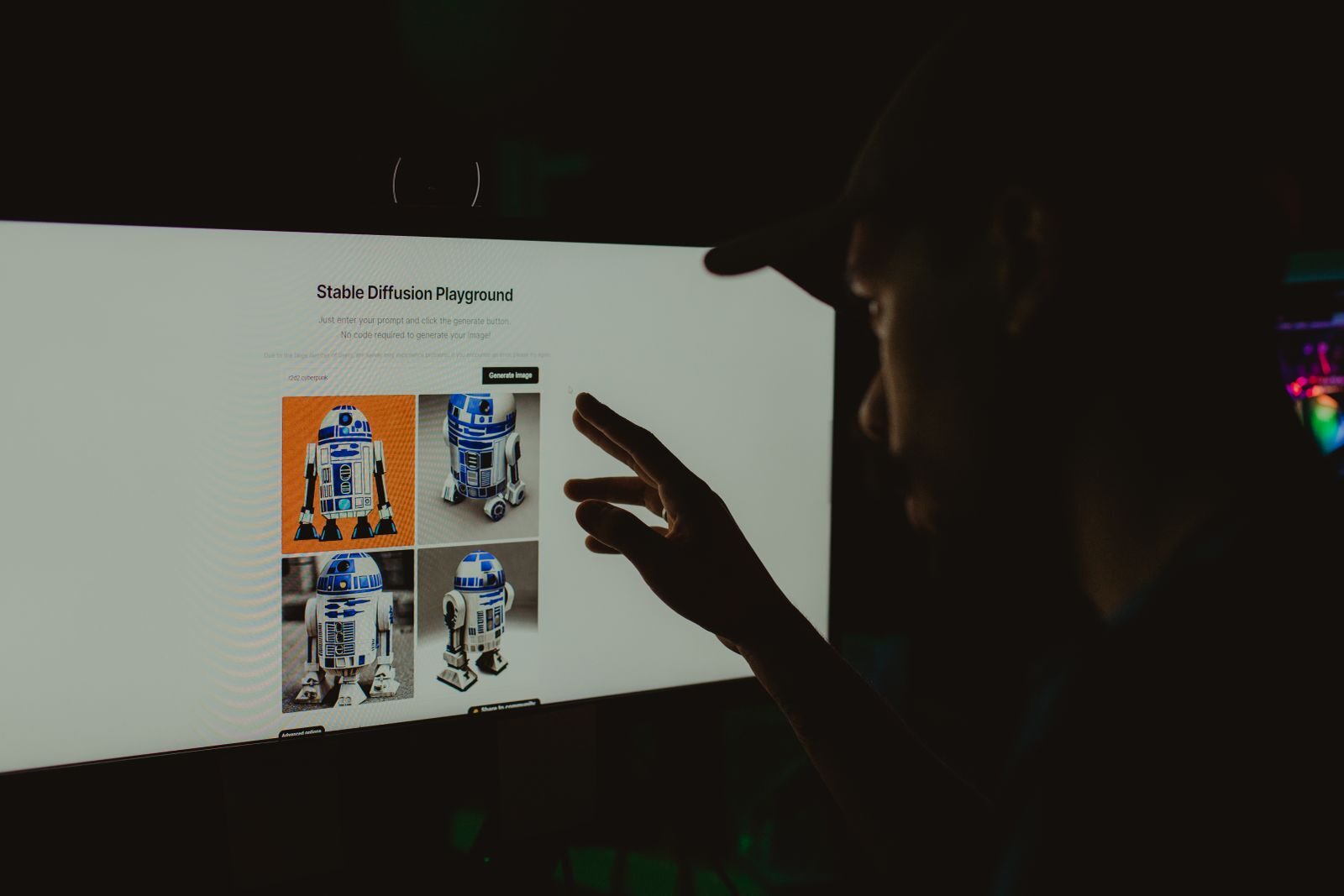
Artificial intelligence has completely changed the way social media content is created. What once required a camera, lighting equipment, professional editing software, voice artists, designers and hours of production can now be created with a combination of AI tools and a simple content idea.
In 2026, AI video generators have become particularly valuable for Instagram Reels, YouTube Shorts, TikTok-style videos, Facebook videos, LinkedIn content and other short-form platforms. Creators can generate cinematic clips from text prompts, animate still images, create AI presenters, turn scripts into videos, generate voiceovers, automatically add captions and edit finished videos with significantly less effort.
However, finding a genuinely useful free AI video generator is not as simple as searching for “free AI video generator.” Almost every major platform offers some form of free access, but the limitations can vary significantly. Some provide daily credits, some offer monthly credits, some provide one-time trial credits, while others restrict resolution, duration, commercial usage or downloads.
For social media creators, the best tool isn’t necessarily the one that produces the most cinematic video. A good creator tool should also make it easy to create vertical 9:16 content, experiment quickly, generate multiple variations, add captions and export content efficiently.
Recent 2026 comparisons continue to highlight platforms such as Kling AI, Pika, Runway, CapCut, InVideo AI, Canva, HeyGen, Dreamina and other specialized platforms, but their strengths differ considerably.
This guide explores the best free AI video generators for social media creators in 2026, what each tool does best, its practical limitations and how you can combine several free tools to build a powerful content-production workflow.
What Is an AI Video Generator?
An AI video generator is a software platform that uses artificial intelligence to create or transform video content from text, images, scripts or existing footage.
A traditional video workflow might look like this:
Idea → Script → Shoot → Edit → Add Voice → Add Captions → Export
An AI-assisted workflow can look more like:
Idea → AI Script → AI Visuals → AI Voice → AI Editing → Export
This doesn’t mean AI completely eliminates human creativity. Instead, it automates many repetitive production tasks and allows creators to spend more time on storytelling, strategy and creative direction.
Modern AI video tools can perform tasks such as:
- Text-to-video generation
- Image-to-video animation
- AI avatars
- AI voiceovers
- Automatic subtitles
- Background removal
- Object replacement
- Video enhancement
- Script-to-video creation
- AI-assisted editing
- Scene generation
- Camera movement simulation
- Video extension
- Social-media resizing
- Creative effects
Why Social Media Creators Are Using AI Video in 2026
The biggest reason is simple: content demand is increasing.
Creators are expected to publish consistently.
A creator running an Instagram account may need multiple Reels every week. A YouTube Shorts creator may want to publish daily. A business may need advertisements, product videos and educational content simultaneously.
Traditional production can quickly become expensive.
AI makes it possible to produce more content with fewer resources.
Faster Content Production
AI can generate a short video concept in minutes instead of requiring an entire production process.
This is particularly useful for:
- Solo creators
- Freelancers
- Digital marketers
- Small businesses
- Coaches
- Educators
- YouTubers
- Social media agencies
Lower Production Costs
Professional video production can involve:
- Cameras
- Studio space
- Actors
- Editors
- Voice artists
- Animators
- Designers
AI doesn’t necessarily eliminate all of these costs, but it can reduce the amount of work required for many types of content.
More Creative Experimentation
Creators can test multiple ideas before committing to a final concept.
For example, an advertising agency could generate five different visual directions for the same campaign and then decide which one deserves further production.
Easier Faceless Content Creation
AI has made faceless content significantly easier.
A creator can produce:
Script → AI voice → AI visuals → Captions → Video
without appearing on camera.
What Makes a Good Free AI Video Generator for Social Media?
Not every free AI video generator is equally useful.
When choosing a platform, creators should consider several factors.
1. Vertical Video Support
For Instagram Reels, YouTube Shorts and TikTok, vertical 9:16 output is extremely important.
A tool that produces beautiful landscape videos but makes vertical content difficult may not be ideal for a social-first creator.
2. Generation Quality
The AI should produce coherent movement, reasonable physics, accurate subjects and visually usable footage.
3. Free Credits
The number and frequency of free credits matter.
Some tools provide recurring credits while others provide only a one-time trial.
4. Watermarks
A free tool may add a watermark to exported content.
This can be acceptable for experimentation but may not be ideal for professional client work.
5. Video Duration
Some free tools only generate very short clips.
That isn’t necessarily a problem because short clips can be combined during editing.
6. Commercial Usage
Creators working for clients should carefully check whether free-plan outputs can be used commercially.
7. Editing Features
An AI generator becomes much more useful when it also provides editing tools.
8. Ease of Use
For social media creators, speed matters.
A complicated workflow can defeat the purpose of using AI.
Best Free AI Video Generators in 2026
The following platforms are among the most useful options to explore in 2026. They are not identical products, so the “best” option depends on the type of content you create.
1. Kling AI
Kling AI is one of the strongest options for creators who want realistic AI-generated video clips.
It has become particularly popular for text-to-video and image-to-video generation, especially when realistic motion and cinematic visuals are important.
Kling is useful for creating:
- Cinematic B-roll
- Product videos
- Fashion visuals
- Travel scenes
- AI storytelling
- Social media advertisements
- Image-to-video animations
Recent 2026 sources describe Kling as a strong motion-focused option, while its current free-access conditions can vary by account, model, region and promotional availability. A September 2026 pricing review reports a recurring free tier with daily credits, but users should verify the exact balance shown in their account before planning a production schedule.
Why Kling AI Is Good for Creators
The biggest strength is motion.
A creator can start with a still image and instruct the model to introduce movement.
For example:
“Slow cinematic camera movement toward the product, realistic reflections, subtle background movement and premium commercial lighting.”
The generated clip can then become B-roll for a Reel.
Best For
Kling AI is best suited to creators who want:
- Realistic movement
- Cinematic clips
- Product animation
- Image-to-video
- Short-form storytelling
2. Pika
Pika is particularly useful for short, creative and experimental social-media videos.
Instead of focusing only on traditional cinematic generation, Pika is well suited to visual effects and transformations.
Creators can use it for:
- Image animation
- Creative effects
- Object transformations
- Short video concepts
- Social-media hooks
- Memes
- Experimental visuals
Current 2026 information describes Pika’s free plan as a recurring credit-based option with limitations around selected models, resolution and generation credits.
Why Pika Works for Social Media
Social media rewards unusual visuals.
A simple photograph can become:
Photo → animated subject → camera movement → visual effect → Reel hook
For example, a creator could turn a static sneaker photograph into a short clip where the sneaker rotates through a futuristic environment.
Best For
Pika is ideal for:
- Viral visual effects
- Short clips
- Image animation
- Creative transitions
- Social-media hooks
3. CapCut
CapCut is slightly different from dedicated AI video generators.
It is primarily an editing platform with a large collection of AI-powered features.
For social media creators, this distinction is actually a strength.
A typical workflow is:
AI Generator → Raw Clips → CapCut → Captions → Music → Effects → Final Reel
CapCut is particularly useful for:
- Instagram Reels
- YouTube Shorts
- TikTok-style videos
- Captions
- Transitions
- Background removal
- Social templates
- Short-form editing
2026 comparisons continue to identify CapCut as one of the strongest free-friendly options for mobile-first social video because of the amount of editing functionality available without requiring a complex professional timeline.
Why CapCut Is Important
A common mistake is assuming that the AI-generated clip is the final video.
It isn’t.
A successful Reel usually needs:
- Hook
- Pacing
- Captions
- Music
- Sound effects
- Branding
- CTA
CapCut can handle much of this finishing work.
Best For
CapCut is best for creators who want:
Fast editing + captions + social-media formatting + AI-assisted production.
4. Dreamina
Dreamina is another strong option for creators looking for recurring free access to AI video generation.
Its appeal is that it combines several creative functions inside one platform.
Dreamina can be used for:
- Text-to-video
- Image-to-video
- Creative concepts
- AI imagery
- Video experimentation
A current 2026 comparison identifies Dreamina as a strong overall free option because its recurring access supports multiple types of generation and refinement.
Best For
Dreamina is useful for:
- Beginners
- Daily AI experiments
- Social-media creators
- Image-to-video
- Creative storytelling
5. Runway
Runway is one of the better-known professional AI video platforms.
It is particularly useful for creators who want cinematic visuals and more advanced creative control.
Runway can be used for:
- AI video generation
- Image-to-video
- Visual effects
- Creative editing
- Short films
- Advertising
- Cinematic B-roll
The important limitation is the free model: current comparisons describe Runway’s free access as a limited one-time credit allocation rather than an unlimited recurring free plan.
Why Runway Is Still Worth Trying
Even if the free credits are limited, they can be useful for testing the platform and creating high-value shots.
Instead of trying to create an entire 60-second Reel with free credits, create a few premium hero shots and combine them with other footage.
Best For
Runway is best for:
- Cinematic B-roll
- Advertising
- Creative storytelling
- Short films
- Professional experimentation
6. Hailuo AI
Hailuo AI has become another notable option for AI-generated video.
It is particularly interesting for creators experimenting with realistic motion and image-to-video generation.
Best Uses
Hailuo can be useful for:
- Photorealistic clips
- Human scenes
- Product visuals
- Creative storytelling
- Social media B-roll
Recent 2026 comparisons identify Hailuo as a strong option for realistic motion and recurring experimentation, although its exact free limits can change.
7. InVideo AI
InVideo AI takes a different approach.
Instead of primarily generating isolated cinematic clips, it focuses on helping users create more complete videos from prompts or scripts.
For example, you could enter:
“Create a 60-second YouTube Short explaining five AI tools that every digital marketer should learn in 2026.”
The platform can help assemble:
- Script
- Scenes
- Visuals
- Voiceover
- Music
- Captions
This makes InVideo particularly useful for creators who want to go from idea to assembled video quickly.
Current 2026 comparisons continue to position InVideo AI as a strong option for script-led social video production.
Best For
- Educational videos
- Faceless channels
- Explainers
- Marketing videos
- YouTube Shorts
- Business content
8. Canva AI Video
Canva is one of the easiest platforms for beginners because it combines design, video editing and AI.
Instead of generating a video and moving to another application, creators can create the visual, place it into a design, add typography, apply branding and prepare it for social media.
Canva is particularly useful for:
- Social media ads
- Reels
- Educational content
- Promotional videos
- Brand videos
- Presentations
2026 comparisons continue to describe Canva as a beginner-friendly social-content platform, although AI video availability and limits depend on the specific plan and feature.
Best For
Canva is ideal for:
Beginners + marketers + small businesses + social media managers.
9. Luma Dream Machine
Luma Dream Machine is another platform worth exploring for creators interested in AI-generated video.
It can be useful for:
- Cinematic scenes
- Image-to-video
- Creative storytelling
- Visual experiments
- Product concepts
It is better viewed as a creative generation tool than as a complete social-media editing platform.
Best For
Creators who want to experiment with cinematic AI scenes.
10. HeyGen
HeyGen is different from tools such as Kling or Runway because it focuses heavily on AI presenters and avatars.
You can create a presenter-style video without recording yourself.
For example:
Script → AI Avatar → AI Voice → Captions → Final Video
This is particularly useful for:
- Educational videos
- Business explainers
- Tutorials
- Product demonstrations
- Marketing videos
- Multilingual content
Current 2026 comparisons include HeyGen among the leading AI avatar options, with limited free access depending on the current plan.
Best For
HeyGen is best for:
Talking-head-style videos without recording yourself.
11. Synthesia
Synthesia also specializes in AI presenter videos.
It is particularly useful for professional and educational content.
Businesses can use it for:
- Training videos
- Tutorials
- Internal communication
- Product education
- Presentations
It is less focused on viral entertainment content and more focused on structured communication.
Best For
Professional creators, educators and businesses.
12. VEED AI
VEED combines online video editing with AI functionality.
It is particularly useful for creators who already have footage and want AI assistance with editing.
Useful features can include:
- Captions
- Video editing
- AI-assisted creation
- Background tools
- Social formatting
Best For
Creators who want browser-based editing and AI assistance.
13. Kapwing
Kapwing is another browser-based creative platform that combines editing with AI.
It can be useful for:
- Social media videos
- Captions
- Content resizing
- Collaboration
- Repurposing content
It is particularly useful for small teams that need to create and edit content collaboratively.
14. Fliki
Fliki focuses heavily on text-to-video workflows.
This makes it useful for creators building:
- Faceless videos
- Educational videos
- News-style content
- Business explainers
- YouTube Shorts
A typical workflow is:
Topic → Script → AI Voice → Visuals → Captions → Video
This can be significantly faster than recording and editing every video manually.
Which Free AI Video Generator Is Best for Instagram Reels?
For Instagram Reels, there isn’t one perfect tool.
The strongest workflow is often a combination.
For cinematic AI clips
Use Kling AI or Runway.
For creative effects
Use Pika.
For editing
Use CapCut.
For branded layouts
Use Canva.
For talking presenters
Use HeyGen.
The combination is more powerful than relying on a single platform.
Which Free AI Video Generator Is Best for YouTube Shorts?
For YouTube Shorts, consider the following combinations.
Educational Shorts
ChatGPT → InVideo AI → CapCut
Cinematic Shorts
ChatGPT → Kling → CapCut
Faceless Shorts
ChatGPT → Fliki/InVideo → CapCut
Presenter Shorts
ChatGPT → HeyGen → CapCut
Creative Shorts
ChatGPT → Pika → CapCut
This lets you choose the generator according to the type of content.
Which Free AI Video Generator Is Best for Faceless Videos?
Faceless content has become one of the easiest formats to produce with AI.
A typical workflow looks like this:
Step 1: Choose a Topic
For example:
“5 AI tools that every marketer should learn in 2026.”
Step 2: Generate a Script
Use ChatGPT or another AI writing assistant.
Step 3: Generate Voice
Use an AI voice tool or the voice-generation functionality inside your chosen video platform.
Step 4: Generate Visuals
Use Kling, Pika, Dreamina, Runway or another visual generator.
Step 5: Edit
Use CapCut.
Step 6: Add Captions
Make captions large, readable and synchronized with the narration.
Step 7: Publish
Export in vertical format and publish to the relevant social platform.
Best AI Video Workflow for Digital Marketers
Digital marketers can use AI video generation for significantly more than organic Reels.
It can also be used for:
- Meta Ads
- Google Ads
- Product videos
- Landing pages
- Email marketing
- YouTube
- Social media campaigns
A practical workflow is:
ChatGPT → Strategy
↓
Kling/Pika/Runway → Visuals
↓
ElevenLabs/AI Voice → Voiceover
↓
CapCut → Editing
↓
Canva → Branding
↓
Instagram/Facebook/YouTube → Distribution
This allows a small marketing team to produce a large amount of creative content.
How to Create a Free AI Reel in 2026
Creating an AI Reel doesn’t have to be complicated.
Step 1: Start With a Strong Hook
Your first few seconds need to capture attention.
Instead of:
“Today we are going to discuss AI tools.”
Try:
“Still creating every Reel manually in 2026?”
The second version creates curiosity.
Step 2: Write a Short Script
For a 30-second Reel, don’t write an essay.
Focus on one idea.
Step 3: Break the Script Into Scenes
For example:
Scene 1 — Hook
Scene 2 — Problem
Scene 3 — Solution
Scene 4 — Example
Scene 5 — CTA
Step 4: Generate Individual Clips
Don’t necessarily ask AI to create a 60-second video in one generation.
Generate several short clips.
This gives you greater control during editing.
Step 5: Add Voiceover
Use an AI voice or record your own.
Your own voice can often make the content feel more authentic.
Step 6: Edit the Video
Bring everything into CapCut or another editor.
Add:
- Captions
- Music
- Sound effects
- Transitions
- Logo
- CTA
Step 7: Export in 9:16
For Reels and Shorts, use a vertical format.
A common target is 1080 × 1920 pixels.
How to Write Better AI Video Prompts
The quality of AI-generated video depends heavily on the quality of the instruction.
A useful prompt can include:
Subject + Action + Environment + Camera + Lighting + Style + Composition
For example:
“Premium smartwatch placed on a dark reflective table inside a futuristic technology studio, slow cinematic camera push-in, subtle reflections, realistic product photography, dramatic studio lighting, luxury advertising style, shallow depth of field, vertical 9:16 composition.”
This provides much more direction than:
“Make a smartwatch video.”
AI Video Prompt Examples for Social Media Creators
Product Advertisement
“Luxury skincare bottle on a marble surface surrounded by fresh green leaves and water droplets, slow camera movement, premium beauty commercial, soft studio lighting, realistic product photography, vertical 9:16.”
Travel Reel
“Cinematic aerial view of a tropical coastline at sunrise, gentle camera movement, waves moving naturally, warm golden light, realistic travel photography, vertical social media video.”
AI Marketing Reel
“Digital marketer working at a modern desk surrounded by futuristic analytics dashboards, realistic office environment, cinematic camera movement, blue ambient lighting, premium technology advertisement, vertical 9:16.”
Fashion Reel
“Fashion model walking through a modern luxury city street at night, cinematic tracking shot, realistic fabric movement, dramatic urban lighting, premium fashion campaign aesthetic, vertical 9:16.”
Free AI Video Generators vs Paid Tools
One of the biggest misconceptions about AI video is that a free tool should provide unlimited professional production.
That’s rarely the case.
Free plans may limit:
- Credits
- Resolution
- Video duration
- Export options
- Models
- Queue priority
- Commercial rights
- Watermark removal
Current 2026 comparisons repeatedly emphasize that “free” can mean very different things across platforms. Some tools provide recurring credits, some one-time trials and others restrict resolution or add watermarks.
Therefore, don’t choose a platform based only on the word FREE.
Look at the complete workflow.
Are Free AI Videos Good Enough for Professional Use?
Yes, in some cases.
Free AI video can be useful for:
- Organic social posts
- Experiments
- Personal projects
- Content ideas
- Short B-roll
- Prototypes
- Educational content
However, client work requires more caution.
Before using an AI-generated asset commercially, check:
- Commercial-use rights
- Watermark conditions
- Model licensing
- Platform terms
- Copyright considerations
A free account doesn’t automatically mean unlimited commercial rights.
AI Video Generation and Copyright
Copyright and licensing are becoming increasingly important as AI-generated content enters professional marketing.
Creators should not automatically assume that every AI-generated image or video can be used for every commercial purpose.
Always review the current terms of the platform you are using.
This is particularly important when creating:
- Paid advertisements
- Client campaigns
- Product advertisements
- Commercial films
- Brand assets
Businesses should also avoid using AI-generated people or likenesses in misleading ways.
AI Video Generation vs Traditional Video Production
AI video isn’t always a replacement for traditional production.
Instead, the two approaches can complement each other.
Traditional production is still extremely valuable for:
- Authentic brand stories
- Customer testimonials
- Events
- Real products
- Interviews
- Behind-the-scenes content
AI is particularly useful for:
- B-roll
- Concepts
- Animations
- Creative effects
- Storyboards
- Product concepts
- Background visuals
The strongest marketing campaigns may combine both.
Biggest AI Video Trends in 2026
More Realistic Human Motion
AI models are becoming increasingly capable of generating natural-looking human movement.
This is particularly important for advertising and storytelling.
Image-to-Video Is Becoming Mainstream
Creators don’t always need to start with a text prompt.
They can upload an image and ask AI to animate it.
This is particularly useful for:
- Product photography
- Character images
- Travel images
- Artwork
- Brand visuals
AI Avatars Are Becoming More Natural
AI presenters are becoming increasingly useful for educational, business and multilingual content.
Short-Form Video Remains the Priority
For most social creators, generating a 5–15 second usable clip can be more valuable than generating a long video.
Short clips can be combined during editing.
AI Editing Is Becoming More Important
The future of AI video isn’t just generation.
It’s also:
Generate → Edit → Caption → Resize → Repurpose → Publish
This is why platforms such as CapCut and Canva remain highly relevant even when dedicated generation models produce higher-quality raw footage.
Best Free AI Video Generator by Use Case
| Use Case | Recommended Tool |
|---|---|
| Cinematic AI clips | Kling AI |
| Creative effects | Pika |
| Social video editing | CapCut |
| Daily AI experiments | Dreamina |
| Professional cinematic work | Runway |
| Realistic motion | Hailuo AI |
| Script-to-video | InVideo AI |
| Beginner-friendly design | Canva |
| AI presenters | HeyGen |
| Professional training videos | Synthesia |
| Browser editing | VEED |
| Faceless content | Fliki |
| Collaborative editing | Kapwing |
These recommendations should be treated as use-case-based rather than permanent rankings because AI models, free tiers and product capabilities change rapidly. Current 2026 comparisons similarly separate tools by workflow instead of declaring one universal winner.
My Recommended Free AI Video Stack for Social Media Creators
If you’re a beginner, don’t install 20 different AI tools.
Start with a simple stack.
Content Strategy
ChatGPT
Use it for:
- Ideas
- Hooks
- Scripts
- Content calendars
- Video concepts
AI Video Generation
Kling AI
Use it for cinematic clips and image-to-video.
Creative Effects
Pika
Use it when you need something visually unusual.
Editing
CapCut
Use it for:
- Captions
- Music
- Transitions
- Final editing
Design
Canva
Use it for:
- Covers
- Social graphics
- Branding
- Promotional designs
This five-tool combination is enough to build a surprisingly powerful creator workflow.
How Businesses Can Use Free AI Video Tools
Small businesses don’t necessarily need an expensive production team to start experimenting with video.
A local business can create:
- Product videos
- Educational Reels
- Promotional videos
- Festival campaigns
- FAQ videos
- Customer education
- Social advertisements
For example, a digital marketing institute could create a Reel around:
“5 AI tools every student should learn before starting a digital marketing career.”
The workflow could be:
ChatGPT → Script
↓
Kling → Visual B-roll
↓
HeyGen → Presenter
↓
CapCut → Editing
↓
Canva → Branded cover
↓
Instagram → Publishing
This creates a complete marketing asset with relatively little production overhead.
Common Mistakes When Using AI Video Generators
Creating Long Videos in One Generation
Short clips are usually easier to control.
Generate individual scenes and combine them.
Using Generic Prompts
Specific prompts produce more controlled results.
Ignoring Aspect Ratio
Always consider the final platform.
Publishing Raw AI Output
AI-generated footage often needs editing.
Overusing AI Effects
Not every Reel needs futuristic effects, explosions and camera spins.
Sometimes simple content performs better.
Forgetting the Hook
A technically impressive video can still fail if nobody wants to watch it.
Ignoring Brand Consistency
Use consistent:
- Colors
- Fonts
- Voice
- Visual style
- Messaging
The Future of AI Video Creation
The next major development in AI video is not simply better video quality.
It is workflow automation.
Imagine telling an AI:
“Create a 30-day Instagram campaign for my digital marketing agency.”
The system could potentially:
- Research the audience.
- Create content ideas.
- Write scripts.
- Generate visual concepts.
- Create videos.
- Generate voiceovers.
- Add captions.
- Produce thumbnails.
- Resize content.
- Prepare publishing assets.
The creator’s job would increasingly shift from manually producing every asset to directing, reviewing and optimizing the AI workflow.
This is the bigger opportunity.
AI isn’t simply becoming a video generator.
It is becoming a creative production assistant.
Final Verdict
There is no single AI video generator that is perfect for every social media creator in 2026.
If you want cinematic AI clips, start with Kling AI.
If you want creative visual effects, try Pika.
If you need professional cinematic experimentation, explore Runway.
If you want realistic AI motion, test Hailuo AI.
If you need script-to-video production, try InVideo AI.
If you want easy branded social content, Canva is a strong choice.
If you need AI presenters, consider HeyGen or Synthesia.
And if your primary goal is to actually publish Reels and Shorts efficiently, CapCut is one of the most practical tools to keep in your workflow.
The smartest approach isn’t to search for one tool that does everything.
Build a simple AI content stack:
Idea → ChatGPT → AI Video Generator → AI Voice → CapCut → Canva → Social Media
Once you understand that workflow, you can produce everything from educational Reels and faceless Shorts to product advertisements and cinematic brand content.
The most important skill in 2026 isn’t simply knowing how to generate an AI video.
It’s knowing what video to create, why your audience should watch it, how to communicate the idea to AI, how to edit the result and how to turn that content into measurable business or audience growth.
AI can make video production faster.
But strategy, creativity and storytelling are still what make people watch.