
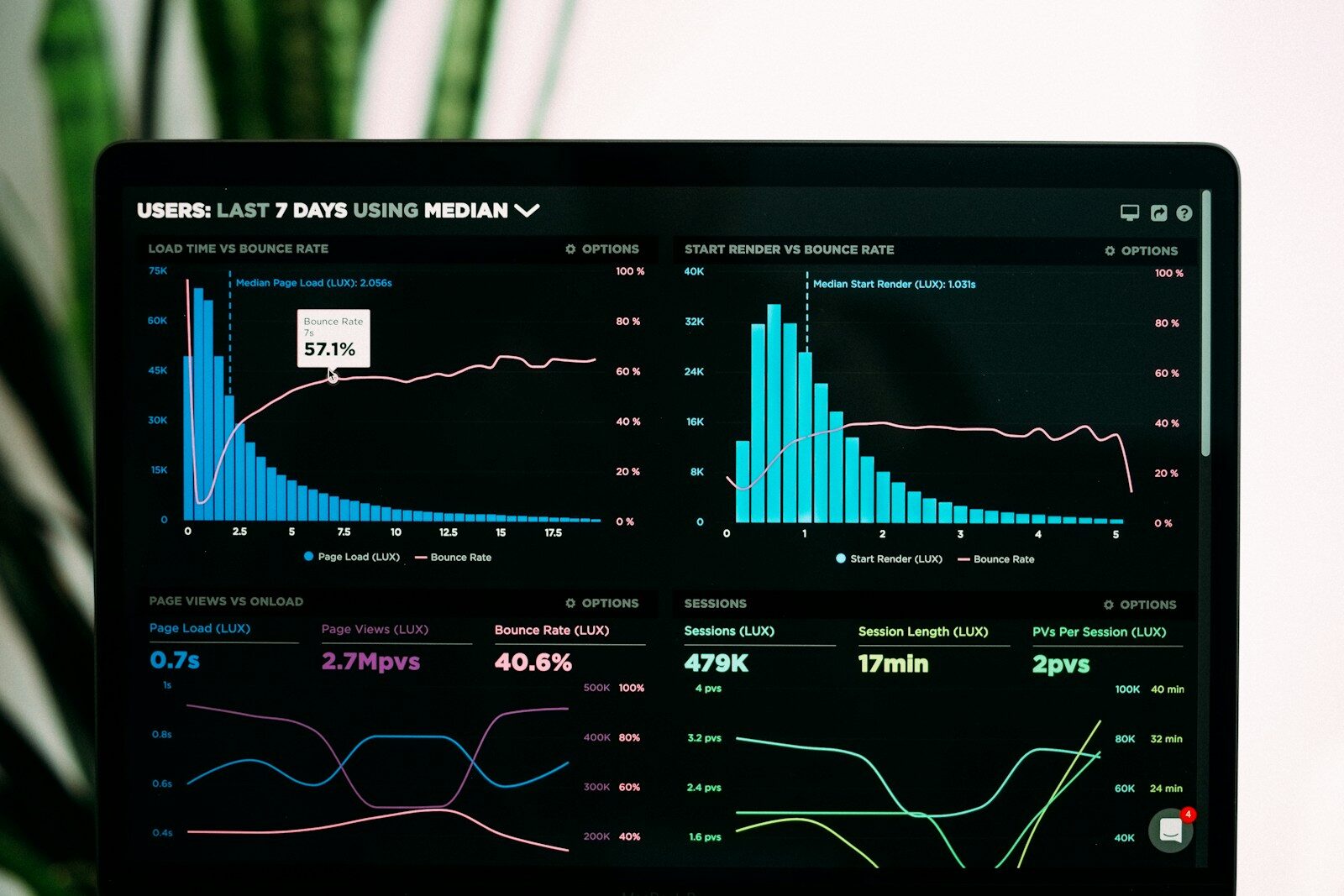
Data has become one of the most important assets for modern businesses. Companies collect information from websites, social media, advertising platforms, CRM systems, e-commerce stores, spreadsheets, applications, customer-support systems and financial platforms.
The challenge is no longer simply collecting data.
The real challenge is understanding what the data is saying.
Traditionally, data analysis required knowledge of Excel, SQL, Python, statistics, databases and business intelligence platforms. An analyst might spend hours cleaning spreadsheets, writing formulas, creating queries, building charts and preparing reports.
AI is changing this workflow.
An AI tool for data analysis allows users to interact with data using natural language and receive summaries, calculations, charts, trends, correlations and other insights. Depending on the tool, users can upload Excel or CSV files, connect databases, generate visualizations, perform statistical analysis, create dashboards and even build predictive models.
ChatGPT, for example, can analyze uploaded spreadsheets and CSV files, create tables and charts, and perform Python-based calculations and statistical analysis.
The AI data-analysis market has also expanded beyond general-purpose chatbots. Dedicated tools such as Julius AI, business intelligence platforms such as Power BI and Tableau, spreadsheet copilots, and warehouse-native AI systems now address different parts of the analytics workflow.
This article explains what an AI data analysis tool is, how it works, the best tools to consider in 2026, how businesses can use them, and how beginners can start analyzing data with AI.
What Is an AI Tool for Data Analysis?
An AI tool for data analysis is software that uses artificial intelligence to help users inspect, clean, transform, visualize, interpret or model data.
Instead of manually writing formulas or programming every analysis, a user can describe the question in natural language.
For example:
“Analyze this sales spreadsheet and tell me which products generated the highest revenue.”
The tool can potentially:
- Read the dataset
- Identify relevant columns
- Calculate revenue
- Group the information
- Rank products
- Create a chart
- Explain the result
More advanced tools can go considerably further.
A user might ask:
“Find the reasons our sales declined in the last quarter, compare regions, identify unusual changes and create a dashboard.”
An AI data-analysis system can break that request into multiple analytical steps.
The exact capabilities depend on the platform, the available data and the quality of the underlying AI system.
Why Are AI Data Analysis Tools Becoming Popular?
Traditional data analysis can involve multiple technical steps.
A typical workflow might require:
Data collection → Cleaning → SQL/Excel/Python → Analysis → Visualization → Reporting → Decision-making
AI can simplify parts of this process.
The user can potentially start with:
Data → Natural-language question → Analysis → Insight
This does not eliminate the need for analytical thinking. Instead, it reduces the technical friction involved in accessing and interpreting data.
Current AI data-analysis tools increasingly support natural-language queries, automated visualizations, statistical analysis, spreadsheet analysis and connections to business data.
How Does an AI Data Analysis Tool Work?
The exact architecture varies between products, but a simplified AI data-analysis workflow looks like this.
Step 1: Upload or Connect Data
The user provides data through:
- CSV files
- Excel spreadsheets
- Google Sheets
- PDFs
- Databases
- Data warehouses
- Business intelligence platforms
- Cloud storage
- Connected business applications
For example, ChatGPT supports common spreadsheet formats such as XLSX and CSV, as well as several other data formats.
Step 2: Understand the Dataset
The AI examines the available fields and structure.
It may identify:
- Column names
- Data types
- Missing values
- Duplicate records
- Dates
- Categories
- Numerical fields
- Relationships between variables
This stage is extremely important.
Poorly structured data can produce misleading analysis.
Step 3: Interpret the User’s Question
The AI converts the natural-language question into analytical operations.
For example:
“Which month had the highest sales?”
could require:
- Identifying the date column
- Identifying the sales column
- Grouping records by month
- Calculating total sales
- Sorting results
- Identifying the maximum
- Creating a visualization
Step 4: Perform the Analysis
Depending on the platform, the system may generate:
- Python code
- SQL queries
- Spreadsheet formulas
- DAX expressions
- Statistical calculations
- Data transformations
Some tools execute the generated code directly.
ChatGPT’s data-analysis functionality, for example, can write and run Python for calculations, transformations and statistical analysis.
Step 5: Generate Insights
The AI converts the results into understandable language.
Instead of showing only:
Q1 revenue: ₹15,20,000
it can explain:
“Revenue increased 18% in Q1 compared with the previous quarter, primarily because of higher sales from the North region.”
The quality of this explanation depends on the underlying data and analysis.
Step 6: Visualize the Results
AI tools can generate:
- Bar charts
- Line charts
- Pie charts
- Scatter plots
- Histograms
- Tables
- Heatmaps
- Dashboards
Visualization can make patterns easier to understand.
What Can an AI Data Analysis Tool Do?
AI-powered analytics tools can support many different tasks.
Data Cleaning
AI can help identify:
- Missing values
- Duplicate rows
- Incorrect formats
- Inconsistent categories
- Invalid dates
- Outliers
- Formatting problems
For example, an e-commerce dataset might contain:
Delhi
Delhi NCR
New Delhi
delhi
AI can identify that these entries may represent the same geographic category.
However, users should verify automated transformations before permanently changing the source data.
Data Summarization
AI can quickly summarize large datasets.
For example:
“Give me a summary of this customer dataset.”
The response might include:
- Total customers
- Average order value
- Highest-value segment
- Most active region
- Customer retention
- Growth trends
- Unusual values
Trend Analysis
AI can identify changes over time.
For example:
- Monthly revenue growth
- Website traffic trends
- Advertising performance
- Customer acquisition
- Product demand
- Employee turnover
- Subscription growth
Outlier Detection
AI can identify unusually high or low values.
For example:
“Find unusual transactions in this sales dataset.”
The system might identify transactions that are significantly different from the normal pattern.
Outliers should then be investigated rather than automatically deleted.
Correlation Analysis
AI can investigate whether variables move together.
For example:
“Is advertising spend correlated with sales?”
The answer should distinguish between correlation and causation.
A correlation does not automatically mean that one variable caused another.
Statistical Analysis
More advanced AI data-analysis tools can help perform:
- Mean
- Median
- Standard deviation
- Regression
- Correlation
- Hypothesis testing
- Distribution analysis
- Forecasting
Users should still understand the assumptions behind statistical methods.
Predictive Analysis
Some AI analytics platforms can build predictive models.
Examples include:
- Sales forecasting
- Customer churn prediction
- Demand forecasting
- Lead scoring
- Fraud detection
- Revenue forecasting
Dedicated platforms increasingly offer automated machine-learning workflows for these use cases.
Dashboard Creation
Modern AI analytics platforms can also turn analysis into interactive dashboards.
For example, OpenAI’s current Data agent for ChatGPT Work can investigate connected business data and create interactive dashboards that can be refined through conversation.
Best AI Tools for Data Analysis in 2026
There is no single AI data-analysis tool that is best for every user.
Different platforms are optimized for different workflows.
Some are better for spreadsheets.
Some are designed for data analysts.
Others are built for enterprise business intelligence or machine learning.
Here are some of the major options.
1. ChatGPT for Data Analysis
ChatGPT is one of the most accessible options for people who want to analyze files using natural language.
Users can upload structured data and ask questions about it.
It can help with:
- CSV analysis
- Excel analysis
- Data cleaning
- Calculations
- Statistical analysis
- Charts
- Tables
- Trend analysis
- Outlier detection
- Data transformation
- Python-based analysis
OpenAI’s documentation specifically notes that ChatGPT can analyze uploaded files, create tables and charts, run Python-based calculations and explain assumptions and results.
This makes it useful for people who understand their business data but do not necessarily know Python or SQL.
Example
A marketer could upload a campaign report and ask:
“Analyze my Meta Ads data. Identify the campaigns with the best ROAS, highest CPA and strongest conversion rate. Create a comparison table and explain which campaigns require attention.”
The AI can perform the calculations and present the results.
2. Julius AI
Julius AI is designed specifically around AI-powered data analysis.
It focuses on allowing users to upload data and ask analytical questions in natural language.
It is particularly attractive to non-technical users who want to explore spreadsheets without writing Python or SQL.
Current 2026 comparisons frequently position Julius AI as a dedicated no-code data-analysis solution.
Typical use cases include:
- Spreadsheet analysis
- Data visualization
- Statistical analysis
- Business reporting
- Trend analysis
- Data exploration
3. Microsoft Copilot for Excel
Microsoft’s AI ecosystem is particularly relevant for businesses that already work heavily with Microsoft 365.
Copilot can assist users with spreadsheet-based workflows, including analyzing information and working with Excel data.
This can be useful for:
- Sales reports
- Financial spreadsheets
- Marketing reports
- Inventory analysis
- Budget analysis
- Business planning
The biggest advantage is the integration with an environment that many organizations already use.
4. Microsoft Copilot for Power BI
Power BI is widely used for business intelligence and dashboards.
Microsoft’s Copilot for Power BI adds generative-AI capabilities to the platform, including chat-based analysis and assistance with tasks such as DAX generation.
This makes Power BI particularly relevant for organizations that need:
- Business dashboards
- KPI monitoring
- Interactive reports
- Data modeling
- Enterprise analytics
- Natural-language analysis
Power BI is generally more appropriate for structured business intelligence workflows than a simple one-off CSV analysis.
5. Tableau with AI
Tableau is a major business intelligence and data visualization platform.
Its AI capabilities can help users work with analytics and insights through more natural interactions.
Tableau is particularly useful for organizations that need:
- Enterprise dashboards
- Data visualization
- Business reporting
- Interactive analytics
- Data exploration
For large organizations, governance and integration can be just as important as the AI itself.
6. Google Gemini for Data Analysis
Google’s AI ecosystem can be useful for organizations already working with Google Sheets, BigQuery and other Google Cloud services.
Google’s data-science ecosystem includes AI-assisted workflows designed for more advanced analytical tasks.
This can be particularly useful when data already lives inside Google’s infrastructure.
For example, an organization might combine:
Google Cloud + BigQuery + AI + dashboards
instead of exporting everything into a separate tool.
7. Claude for Data Analysis
Claude can also be used for analyzing files and interpreting data.
It can be particularly useful when the task involves combining data analysis with extensive written reasoning.
For example:
“Analyze this spreadsheet and write an executive report explaining the three biggest changes, possible causes, risks and recommended questions for management.”
This type of narrative analysis can be useful for business users.
8. Hex
Hex is designed for analytical workflows involving data teams.
It combines notebooks, SQL, Python, visualization and AI-assisted workflows.
It is therefore more suitable for organizations with professional analysts than someone who simply wants to analyze one Excel spreadsheet.
AI data-analysis comparisons frequently position Hex toward SQL/Python and collaborative data-team workflows.
9. DataRobot
DataRobot focuses heavily on automated machine learning and predictive analytics.
It can be useful when the objective goes beyond descriptive analytics.
Examples include:
- Predicting customer churn
- Forecasting demand
- Predicting sales
- Risk modeling
- Classification
- Machine-learning workflows
This category is more advanced than simply asking an AI chatbot to summarize a spreadsheet.
10. ThoughtSpot
ThoughtSpot focuses on business analytics and natural-language interaction with data.
Instead of requiring every user to understand complex dashboards, natural-language interfaces can make it easier to ask questions about business performance.
This can be particularly useful for organizations with larger data environments.
AI Data Analysis Tools Comparison
| AI Tool | Best For | Technical Skill | Main Strength |
|---|---|---|---|
| ChatGPT | General data analysis | Low–Medium | Flexible file analysis |
| Julius AI | No-code analysis | Low | Natural-language analytics |
| Excel Copilot | Spreadsheet users | Low | Excel integration |
| Power BI Copilot | Business intelligence | Medium | Dashboards and BI |
| Tableau | Enterprise analytics | Medium–High | Visualization |
| Gemini | Google ecosystem | Low–High | Google data workflows |
| Claude | Analysis + explanation | Low–Medium | Reasoning and narrative |
| Hex | Data teams | High | SQL/Python workflows |
| DataRobot | Predictive analytics | Medium–High | Machine learning |
| ThoughtSpot | Business analytics | Medium | Natural-language BI |
The best choice depends primarily on where your data lives, how complex the analysis is and how much technical control you need.
AI Data Analysis for Excel
Excel remains one of the most important tools for business data.
Millions of businesses use spreadsheets for:
- Sales
- Expenses
- Payroll
- Marketing
- Inventory
- Leads
- Customer information
- Financial planning
AI can make Excel-based analysis considerably easier.
Instead of manually writing formulas, users can ask questions such as:
“Calculate month-over-month revenue growth.”
Or:
“Which salesperson generated the highest revenue?”
Or:
“Identify products whose sales declined for three consecutive months.”
AI can then assist with formulas, calculations, summaries or visualizations depending on the tool.
AI Data Analysis for Marketing
Digital marketers generate enormous amounts of data.
Consider a typical marketing department.
It may have data from:
- Google Ads
- Meta Ads
- Google Analytics
- Search Console
- CRM
- Email marketing
- Social media
- SEO tools
- E-commerce platforms
AI can combine analytical thinking across these datasets.
Example Marketing Questions
A marketer could ask:
Which campaigns generated the highest number of qualified leads?
Which traffic source has the best conversion rate?
Which landing page has the highest conversion rate?
Which keywords generated the most conversions?
Which geographic locations have the lowest CPA?
How did ROAS change month over month?
These questions can turn raw marketing data into actionable insights.
AI Data Analysis for SEO
SEO professionals also work with large datasets.
Common SEO data sources include:
- Google Search Console
- Google Analytics
- Ahrefs
- Semrush
- Screaming Frog
- Keyword databases
- Rank tracking platforms
AI can help analyze:
- Keyword performance
- Click-through rates
- Search impressions
- Traffic trends
- Ranking changes
- Content performance
- Technical SEO issues
- Internal linking data
For example:
“Analyze my Search Console export and identify pages with high impressions but low CTR.”
This can produce a highly practical SEO analysis.
AI Data Analysis for E-Commerce
E-commerce businesses can use AI to analyze:
- Orders
- Revenue
- Product sales
- Average order value
- Customer lifetime value
- Refunds
- Cart abandonment
- Conversion rate
- Customer segments
An e-commerce manager might ask:
“Identify products with declining sales but increasing traffic.”
That insight could indicate a product-page, pricing or conversion problem.
AI Data Analysis for Sales
Sales teams can use AI to analyze:
- Leads
- Opportunities
- Revenue
- Conversion rates
- Sales representatives
- Pipeline stages
- Customer segments
For example:
“Which sales representatives have the highest conversion rate, and how does their average deal size compare with the team average?”
This can help managers identify performance patterns.
AI Data Analysis for Finance
Finance teams can use AI for:
- Expense analysis
- Revenue analysis
- Budget vs actuals
- Cash flow analysis
- Financial reporting
- Forecasting
- Variance analysis
For example:
“Compare actual expenses against the budget and identify categories where spending exceeded the planned amount by more than 10%.”
The AI can help structure the analysis and explain the differences.
Financial decisions, however, should involve appropriate professional review.
AI Data Analysis for Students
Students can also use AI tools to learn data analysis.
AI can help students understand:
- Excel
- Statistics
- Python
- SQL
- Data visualization
- Regression
- Probability
- Data cleaning
Instead of simply asking for an answer, students can ask:
“Explain why this statistical method is appropriate for this dataset.”
This turns AI into a learning assistant rather than an answer generator.
AI Data Analysis Without Coding
One of the biggest benefits of AI analytics is that users can increasingly perform analytical tasks without writing code manually.
Traditional approach:
Question → Python/SQL → Debugging → Result
AI-assisted approach:
Question → AI-generated analysis → Result → Verification
This can make data analysis accessible to:
- Marketers
- Business owners
- Students
- Entrepreneurs
- HR teams
- Sales managers
- Operations teams
- Content teams
However, no-code does not mean no analytical knowledge is required.
A person still needs to understand what the numbers mean.
AI Data Analysis With Python
For advanced users, AI can work as a programming assistant.
A user can ask:
“Clean this CSV, remove duplicate customer IDs, convert the date column, calculate monthly revenue and create a line chart.”
The AI can generate Python code using libraries such as pandas and matplotlib.
This provides a bridge between natural-language instructions and traditional data science.
The major advantage is that users can inspect and modify the generated code.
For important analyses, reviewing the code, assumptions and outputs is strongly recommended. OpenAI’s documentation specifically recommends reviewing generated code and assumptions when relying on Python-based analysis.
AI Data Analysis With SQL
Businesses often store large datasets inside databases and warehouses.
SQL is traditionally required to query these systems.
AI can help translate natural-language questions into SQL.
For example:
“Show monthly revenue by city for the last 12 months.”
An AI system may generate a SQL query that performs the required aggregation.
This can make databases more accessible to non-technical business users.
However, generated SQL should be reviewed before it is used for critical reporting.
AI Data Analysis and Data Visualization
Data visualization is one of the most useful applications of AI analytics.
A table containing thousands of rows can be difficult to understand.
A well-designed chart can reveal:
- Trends
- Seasonality
- Growth
- Decline
- Outliers
- Correlations
- Differences between segments
AI can help determine which chart is appropriate.
For example:
Time-series data → Line chart
Category comparison → Bar chart
Distribution → Histogram
Relationship between variables → Scatter plot
Good visualization is not simply about making charts attractive.
The objective is to communicate the underlying information clearly.
AI Data Analysis and Predictive Analytics
There is an important distinction between descriptive analytics and predictive analytics.
Descriptive Analytics
Answers:
What happened?
Example:
Sales decreased by 12% last month.
Diagnostic Analytics
Answers:
Why did it happen?
Example:
Sales declined primarily because the North region generated fewer orders.
Predictive Analytics
Answers:
What might happen next?
Example:
Based on historical patterns, sales may increase during the upcoming seasonal period.
Prescriptive Analytics
Answers:
What should we do?
Example:
Increasing inventory before the seasonal demand period may reduce stockouts.
AI can support all four categories, but predictive and prescriptive outputs require particularly careful validation.
Benefits of AI Data Analysis Tools
Faster Analysis
AI can reduce the time required for repetitive analytical tasks.
Lower Technical Barrier
Users can ask questions without knowing every Excel formula, SQL command or Python function.
Better Data Exploration
AI can help users investigate questions they might not have considered.
Automated Visualization
Charts can be generated from analytical results.
Faster Reporting
AI can turn findings into summaries and reports.
More Accessible Analytics
Non-technical teams can interact with business data more easily.
Support for Complex Workflows
Advanced tools can combine multiple analytical steps into a single workflow.
Limitations of AI Data Analysis Tools
AI data analysis is powerful, but it is not perfect.
AI Can Produce Incorrect Results
A tool can make a calculation mistake or misunderstand a question.
Bad Data Produces Bad Analysis
If the source dataset contains errors, the AI may produce misleading conclusions.
Correlation Is Not Causation
AI may identify relationships that require further investigation.
Context Matters
A number can be mathematically correct but business-wise misleading.
Data Privacy Is Important
Sensitive company or customer information should only be uploaded to platforms that meet the organization’s privacy and security requirements.
AI Can Sound More Confident Than It Should
A polished explanation does not automatically mean the analysis is correct.
This is why modern AI data-analysis workflows increasingly emphasize reproducibility and verification. Current evaluations note that accuracy and the ability to trace how an answer was produced are critical considerations.
How to Choose the Best AI Tool for Data Analysis
Before choosing a platform, answer these questions.
What Type of Data Do You Have?
Is your data in:
- Excel?
- CSV?
- Google Sheets?
- SQL?
- BigQuery?
- Snowflake?
- Power BI?
- Tableau?
Choose a tool that works naturally with your data environment.
How Technical Are You?
If you are a beginner, choose a natural-language interface.
If you are an analyst, you may prefer a tool with SQL, Python and notebook capabilities.
Do You Need Dashboards?
If yes, consider BI platforms rather than only chatbot-based analysis.
Do You Need Predictive Modeling?
If your goal involves machine learning, choose a platform designed for predictive analytics.
Do You Need Enterprise Security?
Large organizations should evaluate:
- Data governance
- Permissions
- Compliance
- Access controls
- Auditability
- Data retention
Can You Verify the Results?
This may be the most important question.
A good AI analysis should be explainable and reproducible.
Best AI Tool for Data Analysis for Beginners
For beginners, the ideal tool should be easy to use.
A simple workflow is:
- Prepare your spreadsheet.
- Upload it.
- Ask a clear question.
- Review the calculations.
- Ask follow-up questions.
- Generate a visualization.
- Verify the result.
- Turn the findings into an actionable conclusion.
ChatGPT and dedicated tools such as Julius AI can be good starting points for this style of workflow.
Best AI Tool for Data Analysts
Professional analysts may need more control.
They may prefer platforms supporting:
- SQL
- Python
- Notebooks
- Databases
- Data warehouses
- Versioning
- Collaboration
- Governance
Tools such as Hex can fit this category, while enterprise BI systems such as Power BI and Tableau are more suitable when reporting and governance are major requirements.
Best AI Tool for Business Owners
Business owners usually do not want to learn Python before answering a business question.
They may want to ask:
Why did sales fall?
Which products are most profitable?
Which marketing channel is performing best?
Which customers generate the most revenue?
For this audience, natural-language AI analysis can provide significant value.
The key is to connect the AI to trustworthy business data.
Best AI Tool for Digital Marketers
For digital marketers, a flexible AI analysis tool can be particularly useful.
A marketer can analyze:
Meta Ads + Google Ads + GA4 + Search Console + CRM + sales data
and ask questions such as:
Which campaigns generate the most qualified leads rather than simply the most leads?
Or:
Compare paid and organic traffic by conversion rate and customer acquisition cost.
This moves AI beyond content generation into actual business decision support.
How to Write Better Prompts for AI Data Analysis
The quality of the question matters.
A weak prompt is:
Analyze this data.
A stronger prompt is:
Analyze this sales dataset for the last 12 months. Identify monthly revenue trends, the five highest-revenue products, regions with declining sales and unusual transactions. Create appropriate charts and explain the three most important business insights.
An even stronger prompt can specify:
- Objective
- Date range
- Columns
- Calculations
- Segments
- Visualization
- Output format
- Assumptions
A Simple Prompt Formula
Use:
Role + Dataset + Objective + Analysis + Output + Verification
For example:
Act as a business data analyst. Analyze this e-commerce dataset. Identify revenue trends, top products, customer segments and unusual changes. Create three appropriate charts and summarize five key insights. Show the calculations or methodology used and clearly mention any assumptions.
This gives the AI much more context.
Frequently Asked Questions About AI Tools for Data Analysis
What is the best AI tool for data analysis?
There is no universal winner. ChatGPT is a strong general-purpose option for file-based analysis, Julius AI is designed specifically for no-code analysis, Power BI is strong for business intelligence, and tools such as Hex are better suited to professional data workflows.
Can AI analyze Excel files?
Yes. Several AI tools can analyze spreadsheet data. ChatGPT, for example, supports XLSX and CSV files and can perform calculations, create charts and summarize data.
Can AI analyze CSV files?
Yes. CSV analysis is one of the most common use cases for AI data-analysis tools.
Users can ask questions about trends, averages, categories, outliers and relationships within the dataset.
Can AI do data analysis without coding?
Yes. Many modern AI tools allow users to describe analytical tasks in natural language instead of writing code manually.
Can ChatGPT do data analysis?
Yes. ChatGPT can analyze uploaded data, create tables and charts, and perform Python-based calculations and statistical analysis.
Can AI create charts from data?
Yes. AI data-analysis tools can generate charts and visualizations based on the structure and purpose of the dataset.
Can AI clean data?
Yes. AI can assist with detecting duplicates, missing values, inconsistent formats and other data-quality problems. However, important transformations should be reviewed before modifying the original dataset.
Can AI predict future sales?
AI can help create forecasts and predictive models when sufficient historical data is available. Forecasts are estimates rather than guarantees and should be evaluated against appropriate statistical assumptions and business context.
Is AI data analysis better than Excel?
AI and Excel solve different problems.
Excel provides detailed manual control and remains extremely powerful for spreadsheets.
AI can make exploration and analysis easier by allowing users to ask questions in natural language.
The two can work together.
Is AI replacing data analysts?
AI is more likely to change the role of data analysts than simply eliminate it.
Analysts can use AI for repetitive tasks while spending more time on:
- Business context
- Data quality
- Experiment design
- Interpretation
- Strategy
- Decision-making
- Communicating insights
Human judgment remains important.
Is AI data analysis accurate?
It can be highly useful, but it is not guaranteed to be accurate.
Always verify important numbers, calculations, assumptions and conclusions before using them for high-impact decisions.
Future of AI Data Analysis
The future of data analysis is moving toward conversational and agentic analytics.
Instead of manually opening multiple dashboards, users will increasingly be able to ask:
“What changed in our business this month?”
The AI can potentially investigate:
- Revenue
- Marketing
- Customer acquisition
- Product performance
- Costs
- Customer retention
and produce a structured explanation.
The latest generation of AI data agents is already moving in this direction. OpenAI’s September 2026 Data agent announcement describes a system that can connect to company data, investigate changes, build interactive dashboards and allow users to refine the analysis conversationally.
This suggests an important shift:
From dashboards that show data → to AI systems that investigate data.
In the future, AI data-analysis systems may increasingly:
- Monitor business metrics
- Detect anomalies
- Explain changes
- Build reports automatically
- Forecast trends
- Recommend questions
- Connect multiple data sources
- Trigger workflows based on findings
However, greater automation makes verification even more important.
Final Thoughts
An AI tool for data analysis can dramatically simplify the process of turning raw information into useful insights.
Whether you are analyzing an Excel spreadsheet, studying marketing performance, investigating sales data, creating business dashboards or building predictive models, AI can reduce the amount of manual work involved.
For beginners, tools such as ChatGPT and Julius AI can make data analysis accessible without requiring extensive coding knowledge. For professional analysts, platforms such as Hex can support SQL and Python workflows. For enterprise teams, Power BI and Tableau provide broader business-intelligence capabilities.
But the most important lesson is this:
AI should make data analysis faster, not make critical thinking optional.
Always check the source data, understand the methodology, verify important calculations and distinguish between an analytical finding and an assumption.
The best AI data analyst is not necessarily the tool that gives you an answer the fastest.
It is the tool that helps you reach an answer you can understand, verify and confidently use for a decision.
This article is for educational and informational purposes. AI-generated analysis should be independently verified before being used for financial, legal, medical or other high-impact decisions.